August 31, 2026 | Sebastian Karika
Update: Chromatic Approaches and Augmented Passing Chords
Dear Mindful Harmony users, here are a couple of changes in the chord selector.
Chromatic Approaches
The Tonicization tab is now called Chromatic Approaches. It is the same collection of chords as before: secondary dominants, pre-dominants, and chromatic passing chords. The new name better describes what they all do. They approach the diatonic chord in the same column.
Augmented Passing Chords
There is a new filter in Chromatic Approaches: Augmented passing. These are augmented chords that lead into a nearby diatonic chord, for example I⁺ into I, ♭II⁺ into ii, or IV⁺ into IV.
They are available in major and minor. Add one, then resolve to the diatonic chord in the same column.
Happy composing!
August 26, 2026 | Sebastian Karika
Update: MIDI input chord search, divisi
Dear Mindful Harmony users, here are some new features.
MIDI input chord search
Press “+” and select “Search”, or use the shortcut Shift + S. If MIDI input is turned on, you can press keys on your MIDI keyboard, and Mindful Harmony will search for chords that match the notes.
Divisi
In the MIDI menu, there is now a Divisi checkbox. If it’s checked, you can choose to route the voices of the chords being played to different MIDI channels. That means you can connect multiple virtual instruments, for example, different sections of the orchestra, to different voices.
Drag and drop from chord selector
You can now drag and drop chords from the chord selector panel to the song.
Happy composing!
August 19, 2026 | Sebastian Karika
Update: UX & Design Updates, Customizable Voice Leading, Sections, Chord Search, Manual Voicings, Guitar Fretboard, Playback Options, Keyboard Shortcuts, Chord/Scale Reassignment
Dear Mindful Harmony users,
This latest update is quite a big one. I’ve done my best to include as many of your suggestions as possible and improve the overall user experience. Here’s a summary of what’s new.
Improved design
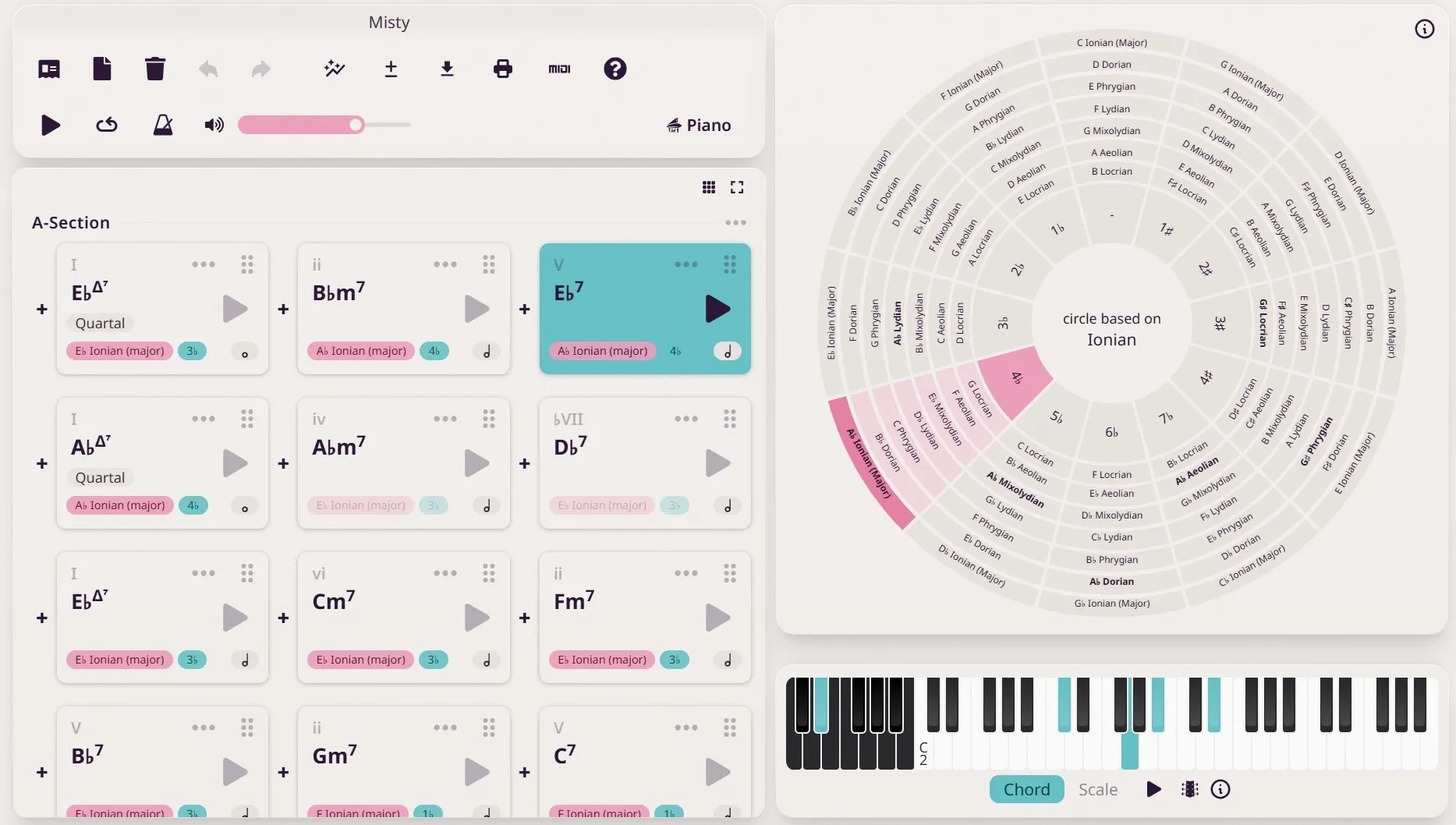
Every feature of the app has received a meticulous overhaul. The design language is now more coherent and polished, and the interface behaves better on both mobile and desktop.
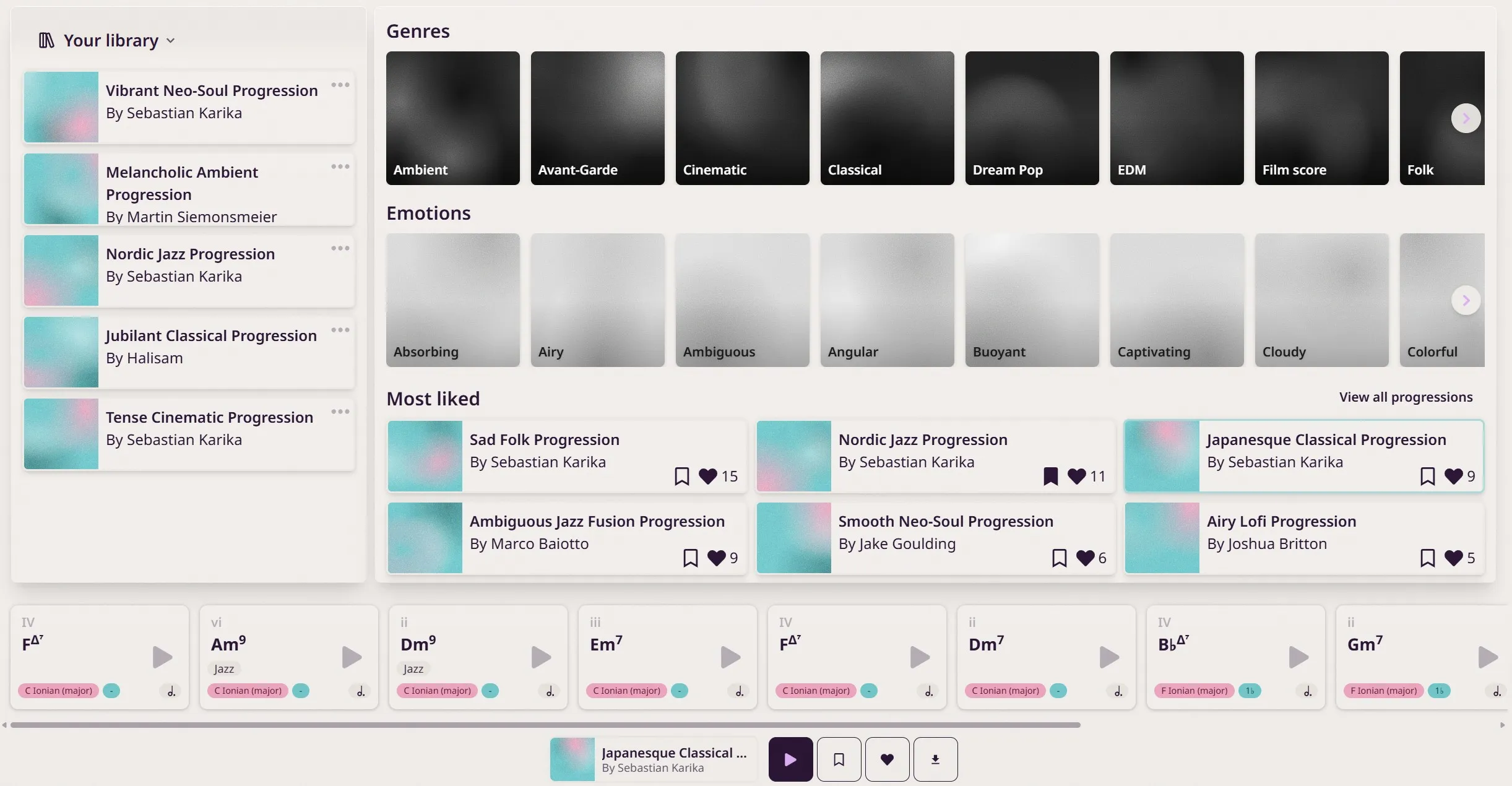
The community page has also received a complete redesign to celebrate your precious contributions. Thank you all for sharing your creations.
Customizable voice leading
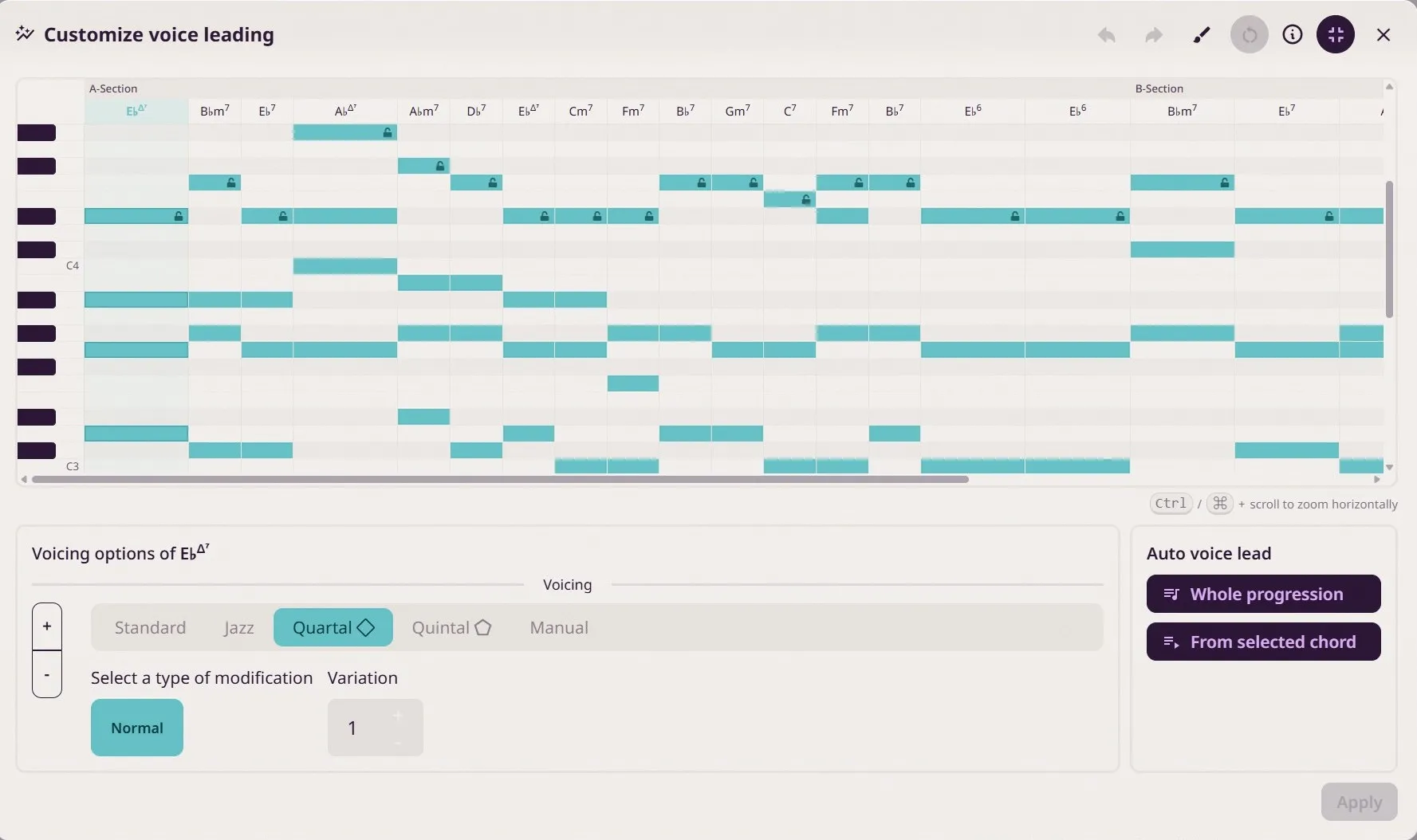
The auto voice leading feature was previously a black box. Now you can customize the result. With this new feature, you get a piano roll overview of the song. You can alter the voicing of each chord and better see how the chords relate to each other.
Lock the top note of a voicing to preserve a melody note when running the auto voice leading algorithm. Or use Melody Paint mode to paint a melody using chord notes and have the voicings adjust automatically below the melody notes.
Manual voicings
The Voicings section now has a manual option that lets you move any chord note by octaves. You can also drag and drop notes directly on the piano.
Sections & comments
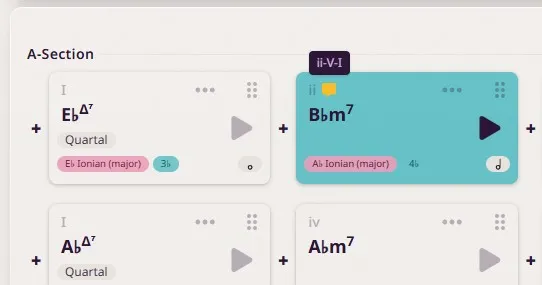
Sections are the perfect way to structure your songs into “Intro”, “Verse”, “A”, “B”, and so on. You can duplicate or remove entire sections.
The previous label feature has been turned into a comment feature. Open the context menu for a chord and select “Comment” to add a comment to that particular chord.
Chord search
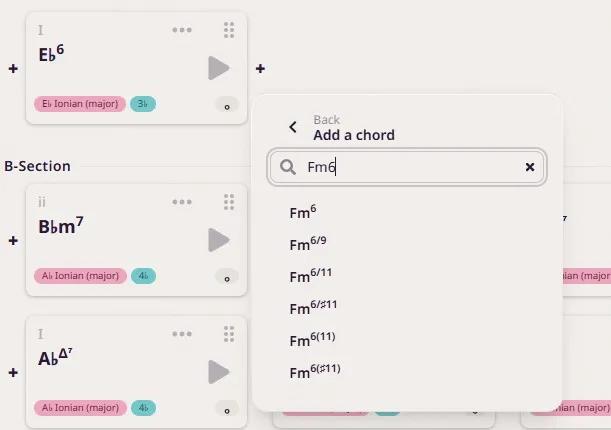
A widely requested feature has finally landed in the app. Add a chord, select “Search”, and quickly find the chord you’re looking for using plain-text search. The app then intelligently suggests a scale origin for that chord, taking the context into consideration.
Combined with the new keyboard shortcuts, adding chords to a song can be a breeze.
There is also a new search feature inside the Manual Chord Selector dialog.
Keyboard shortcuts & multi-select
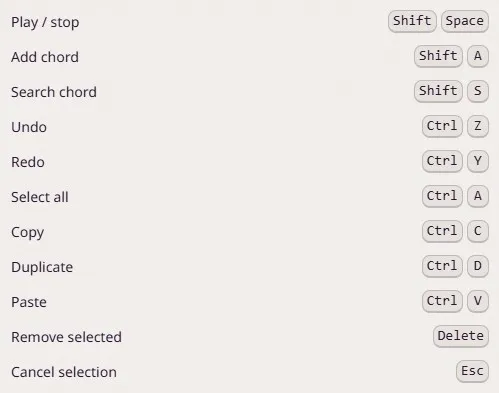
Learn the new keyboard shortcuts to make your composing sessions more fluid. For example, press Shift + S to add a chord to the end of the song by searching for it by name.
You can now select multiple chords by holding down Ctrl/CMD/Shift and clicking on them, or by holding down the left mouse button and making a marquee selection.
Guitar fretboard
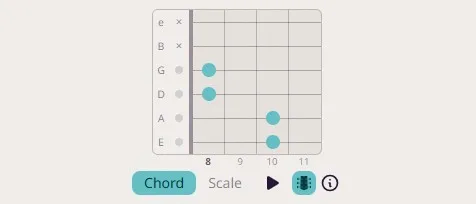
It’s now possible to display a guitar fretboard. Please note that Mindful Harmony is piano-first. Since the voicings are designed for the piano, they might not always translate well to the guitar neck. However, I’m sure you’ll discover some interesting ways to voice chords on guitar with this new feature.
Chord/scale reassignment
Added a chord manually, and now it doesn’t have a scale assigned to it? Open the context menu for the chord and select “Find scale”. The app will suggest scale origins that fit the chord and assign a scale to it.
Playback options
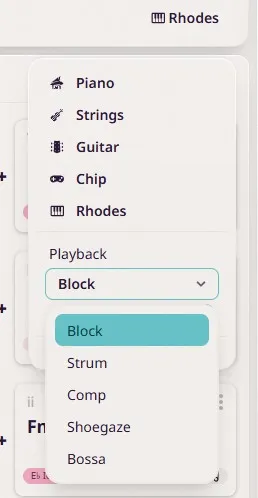
There are now a couple of new playback and arpeggiation options to try out.
Happy composing!
July 29, 2026 | Sebastian Karika
Update: Blues chords, metronome, playback options, and improved print layout
Dear Mindful Harmony users,
Here are a few new features you’ve been asking for:
Blues Chords
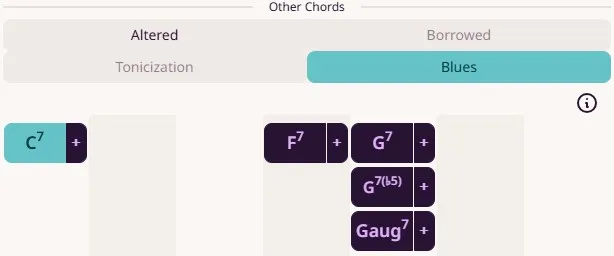
Want to write blues-inspired harmony? You now have quick access to the I7 and IV7 chords, which were previously cumbersome to find. They also come with thoughtfully designed extensions. Give them a try to add that classic major/minor ambiguity to your compositions.
Metronome & Improved Playback Engine
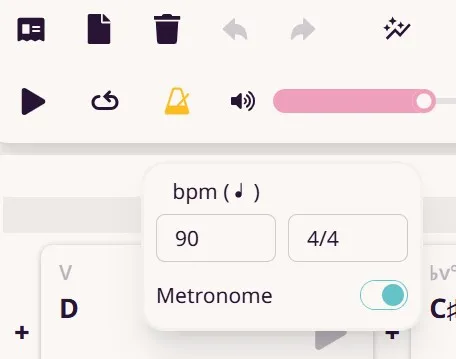
Another widely requested feature is now available: a built-in metronome. It helps you better understand the rhythmic structure of your songs and makes Mindful Harmony more useful for practice.
The playback engine has also been improved for greater timing accuracy.
Toggle Strumming and Bass Note Playback
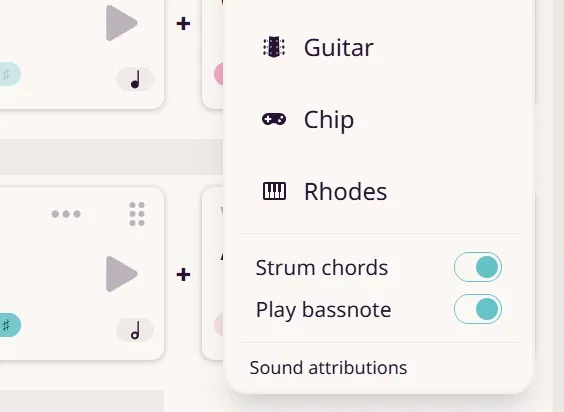
You can now toggle chord strumming and bass note playback independently. These settings also affect live MIDI output. They are not saved per song but instead persist as global settings in your browser.
Improved Print Layout
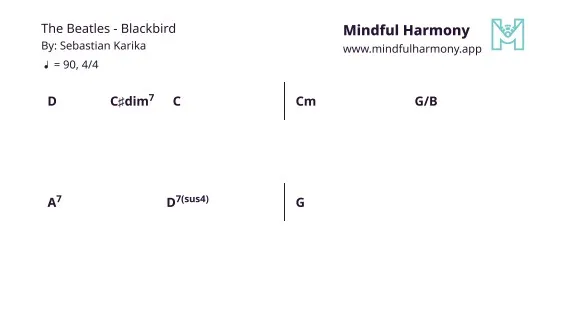
The text-based print layout now places chords clearly within each bar. Use it to print lead sheets for your band members or to sketch lyrics between the lines.
Session Persistence
When you open Mindful Harmony, it automatically opens the last song you were working on.
Happy composing!
June 27, 2026 | Sebastian Karika
Update: More note values and folders
Dear Mindful Harmony users,
Here are a couple of new features that you requested:
More note values
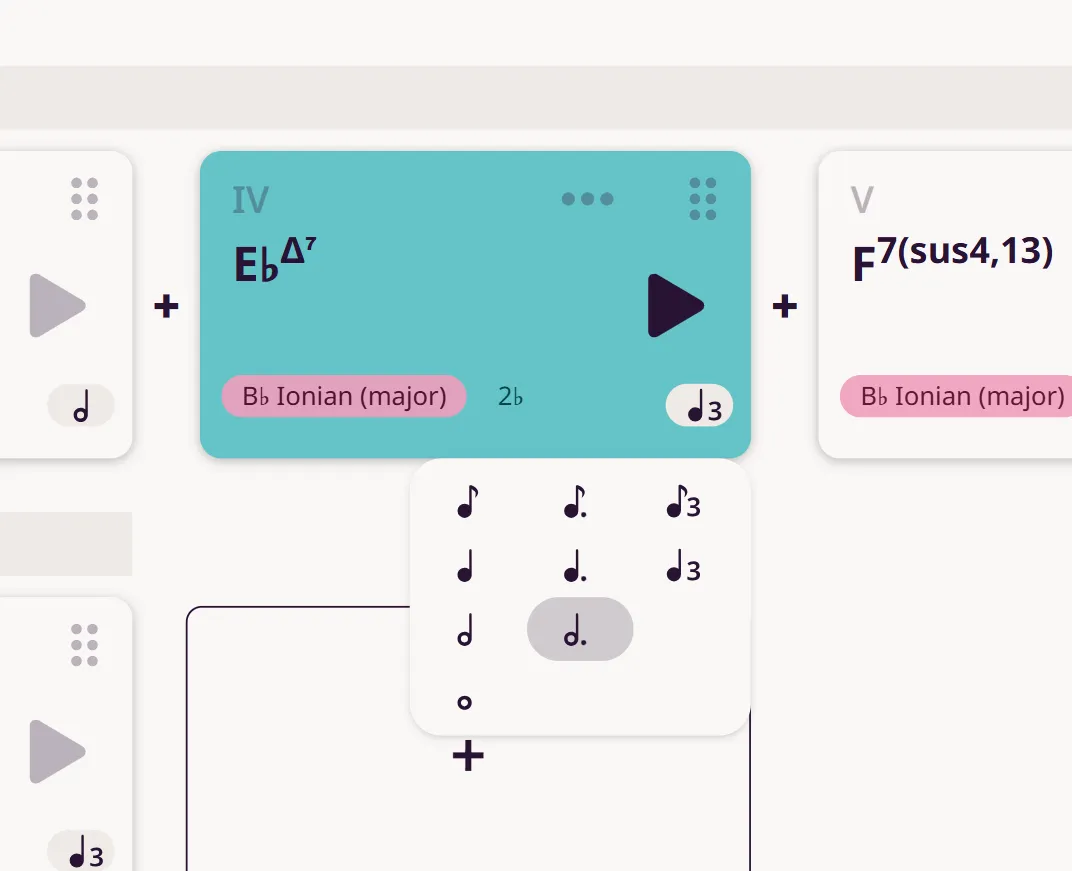
We now support a wider variety of note values for chords. For example, it’s now possible to experiment with tuplets.
Folders
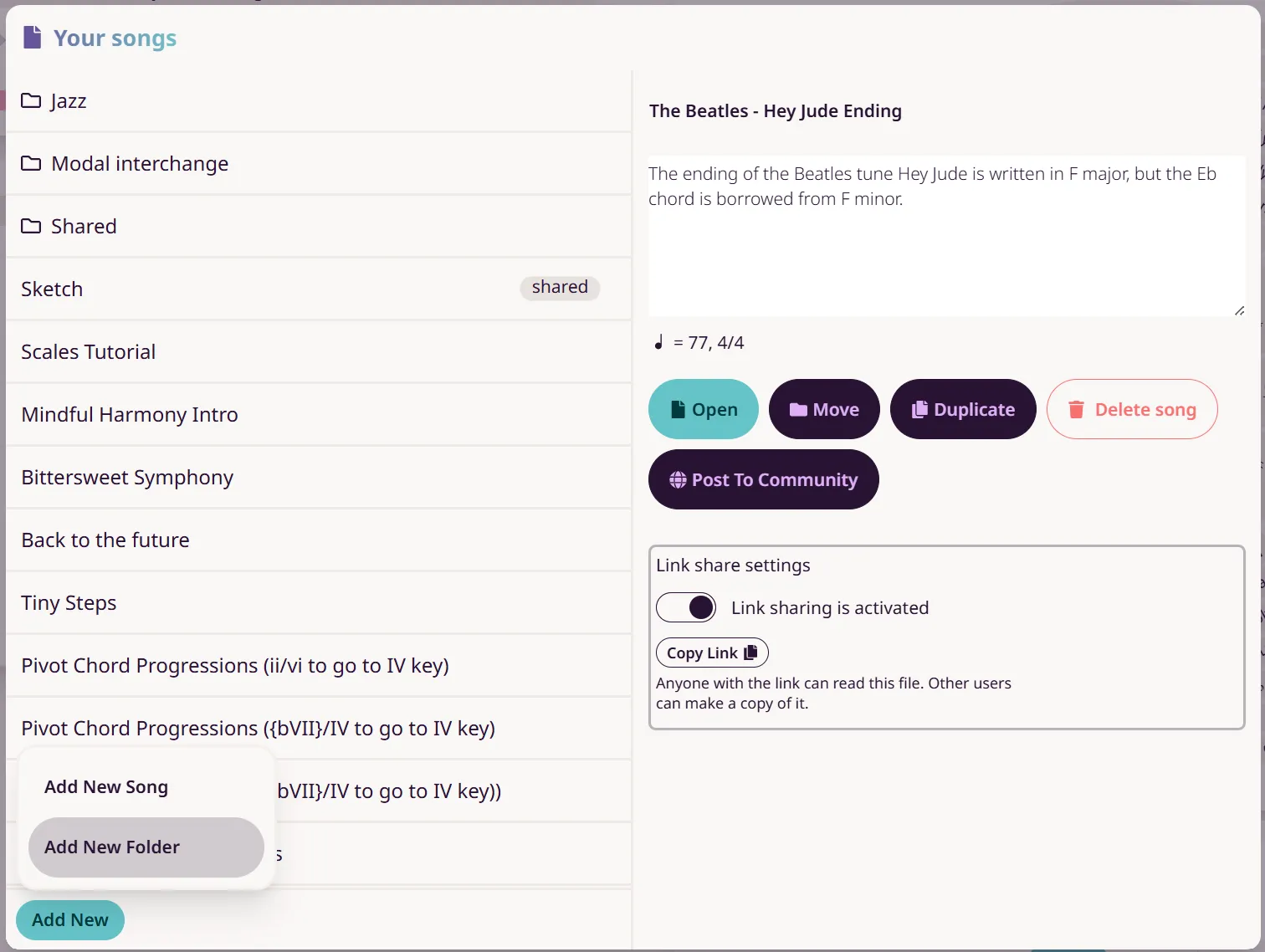
Another widely requested feature is now available. You can now organize your songs using folders. Open the Song Explorer and click Add New, then select Add New Folder. The Song Explorer has also received a general overhaul.
Happy composing!
June 2, 2026 | Sebastian Karika
Update: Note Duration Dropdown, Octave Preservation, and More
Dear Mindful Harmony users,
I’ve fixed a few bugs and added some new features. Here’s what’s new:
Piano now plays sounds
When you click a piano key, it will now play the corresponding note. This makes it easier to navigate while composing, especially when trying to match a melody to your chords.
It’s also a great way to hear the individual notes within a dense chord and better understand how each note contributes to the chord’s overall sound.
Note duration dropdown menu
Previously, changing a chord’s note duration required clicking multiple times to cycle through the available values. Now, there’s a dropdown menu that lets you select the desired note duration directly, making the process faster and more convenient.
Octave is preserved when changing chord voicings
When changing a chord voicing, Mindful Harmony will now try to keep the voicing in the same octave range as the previous one, with special attention given to the top note. This makes it easier to compare different voicings and hear how they sound in context.
I’m very happy to welcome many new users this month. I hope you’re all enjoying the app and finding it useful in your musical journey.
Happy composing!
February 27, 2025 | Sebastian Karika
Update: Community Page + Win a 50 EUR Thomann.de Gift Card
Dear Mindful Harmony Users,
I’m excited to share some big news for Mindful Harmony! We have so many talented and creative composers using the platform, and it’s time we had a place for you to share your harmonic ideas and experiments with each other.
##Community Page
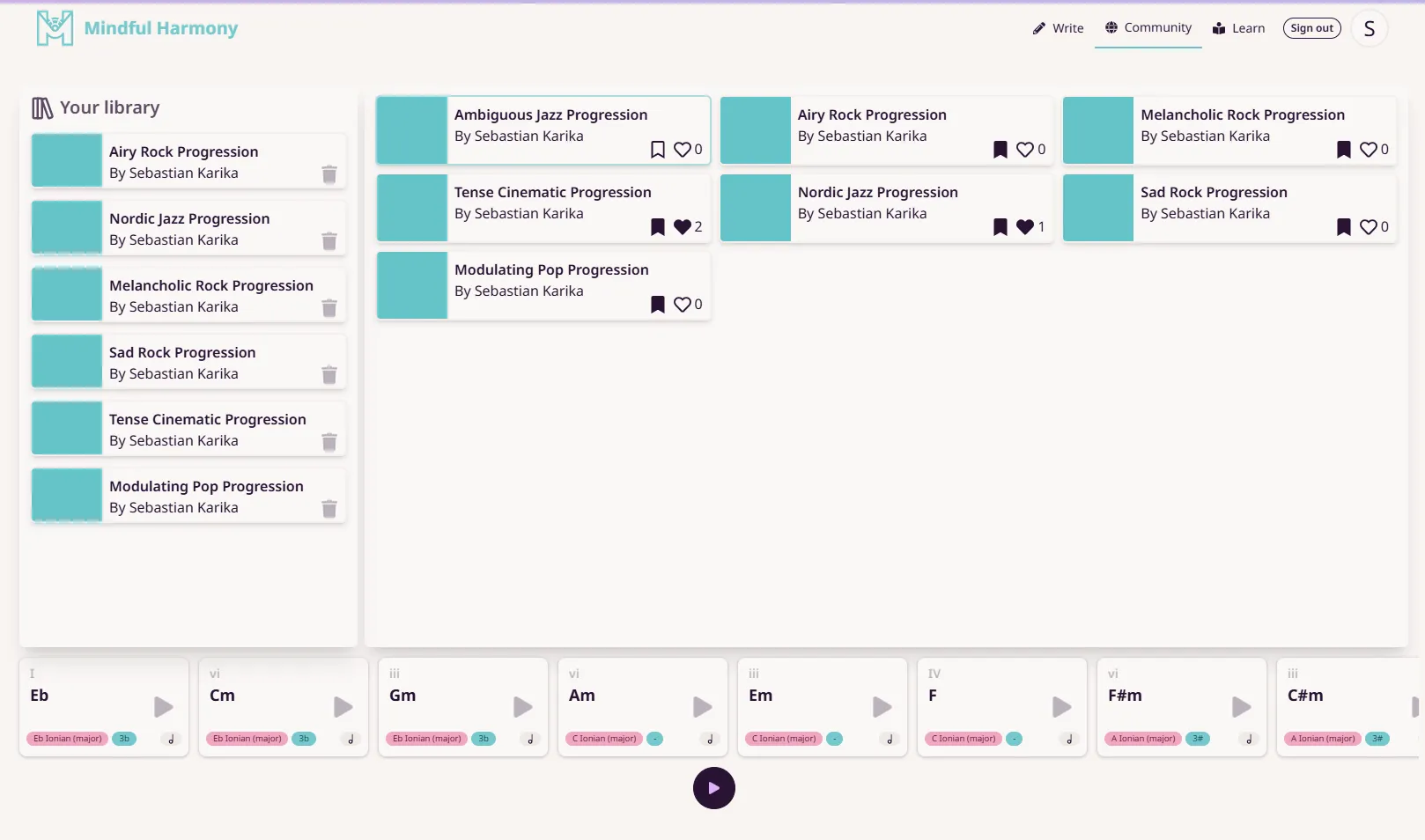
You can now browse and share chord progressions directly within the platform! If you’ve created something in Mindful Harmony that you love, why not upload it and inspire others?
How It Works
Select a project to upload
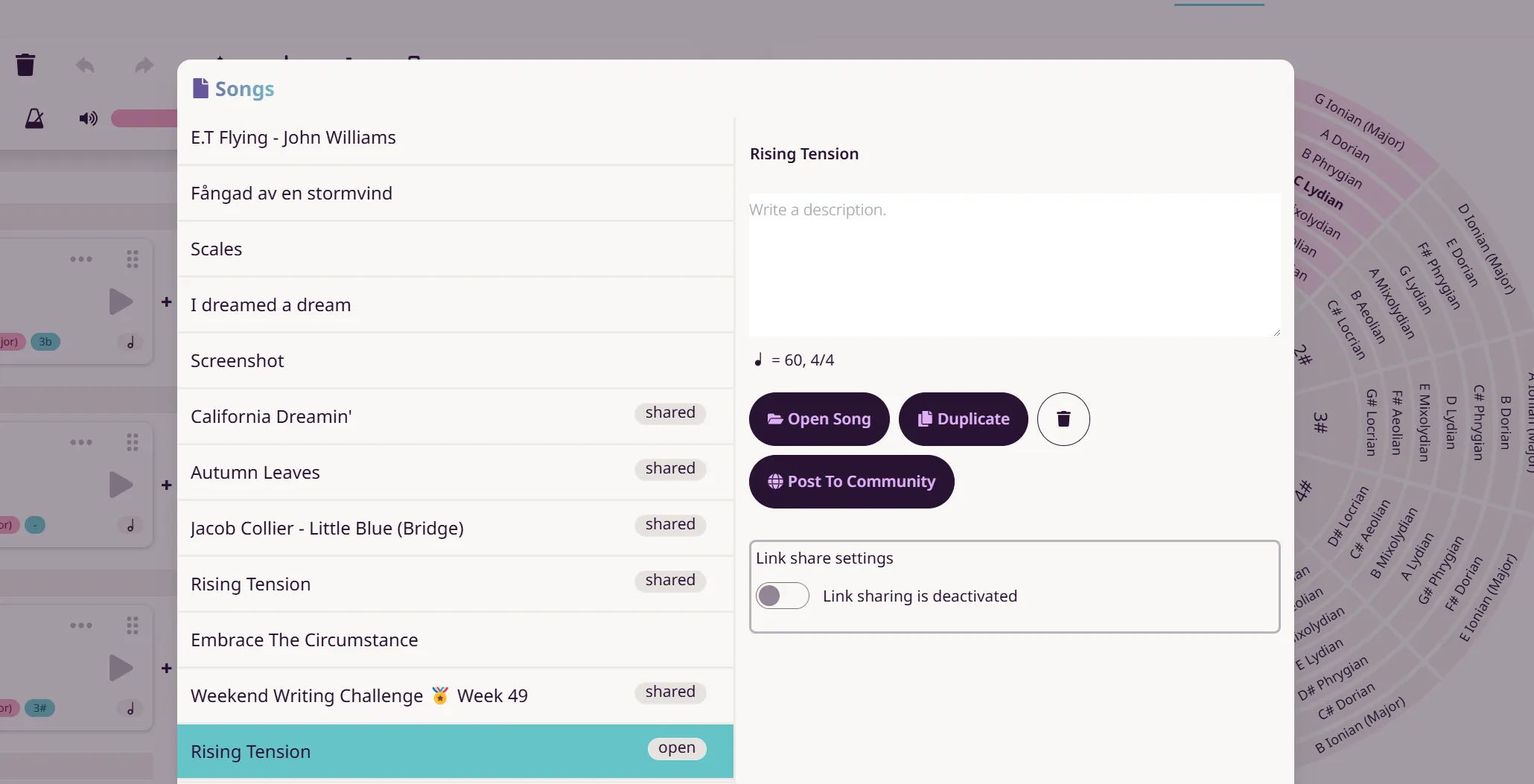 Go to your songs and choose the one you want to share with the community. Then, click the “Post to Community” button.
Choose a genre and an emotion
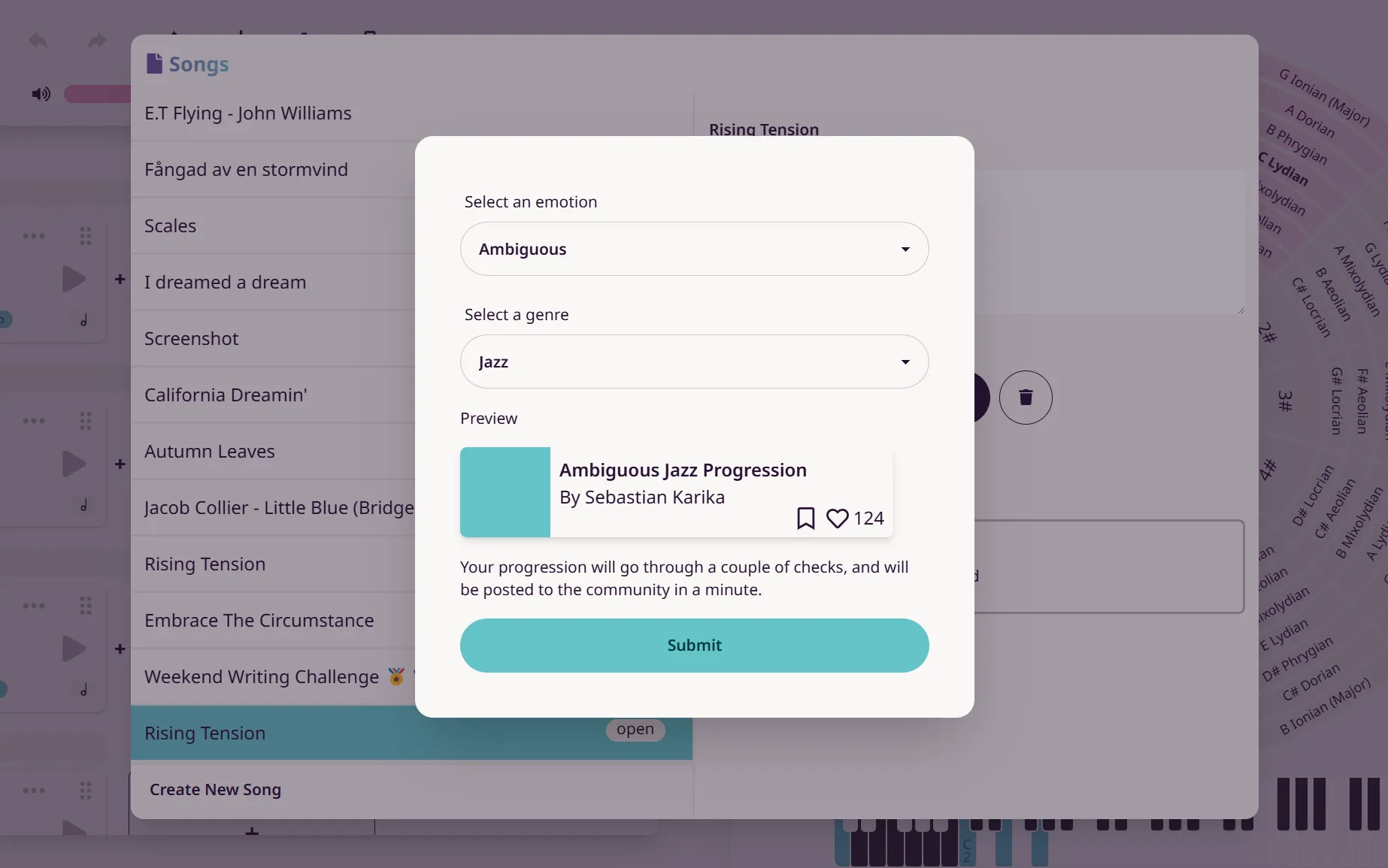 Select a genre and an emotion from the drop-down lists. You’ll see a preview of how your chord progression will appear in the community. Once you confirm your selection, an audit process will run on our servers. If no errors are found, your progression will be posted within two minutes.

Community Page Overview
On the right side of the page, you’ll find a list of all the chord progressions shared by community members. You can preview, like, and save them to your personal library, which is located on the left.
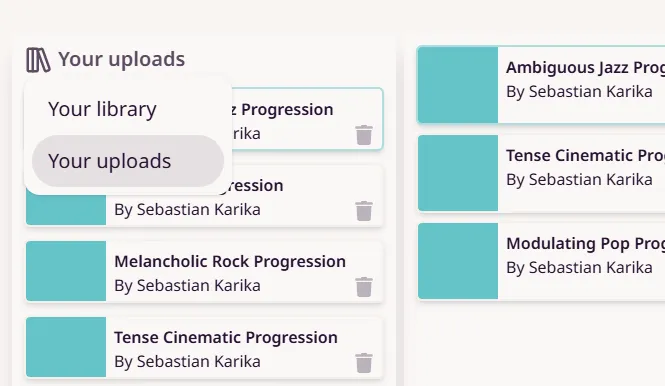 Clicking “Your Uploads” lets you switch between viewing your saved progressions and your uploaded ones.
Using Community Chord Progressions in Your Songs
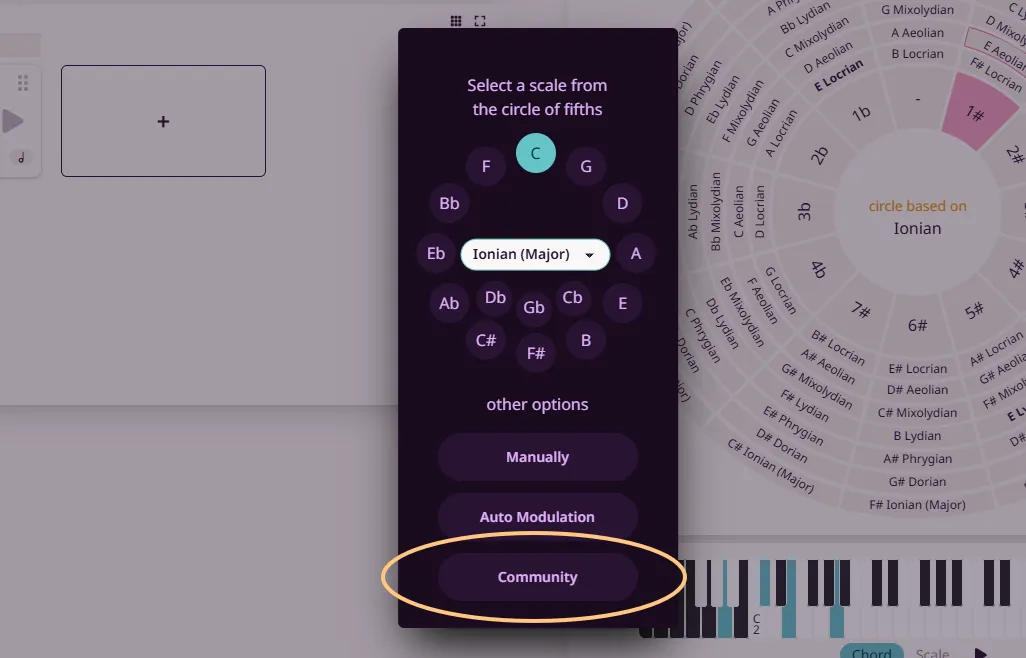
Once you’ve saved a community chord progression to your library, you can easily import it into any of your songs. Simply click the plus (+) button and select “Community” at the bottom of the pop-up menu.
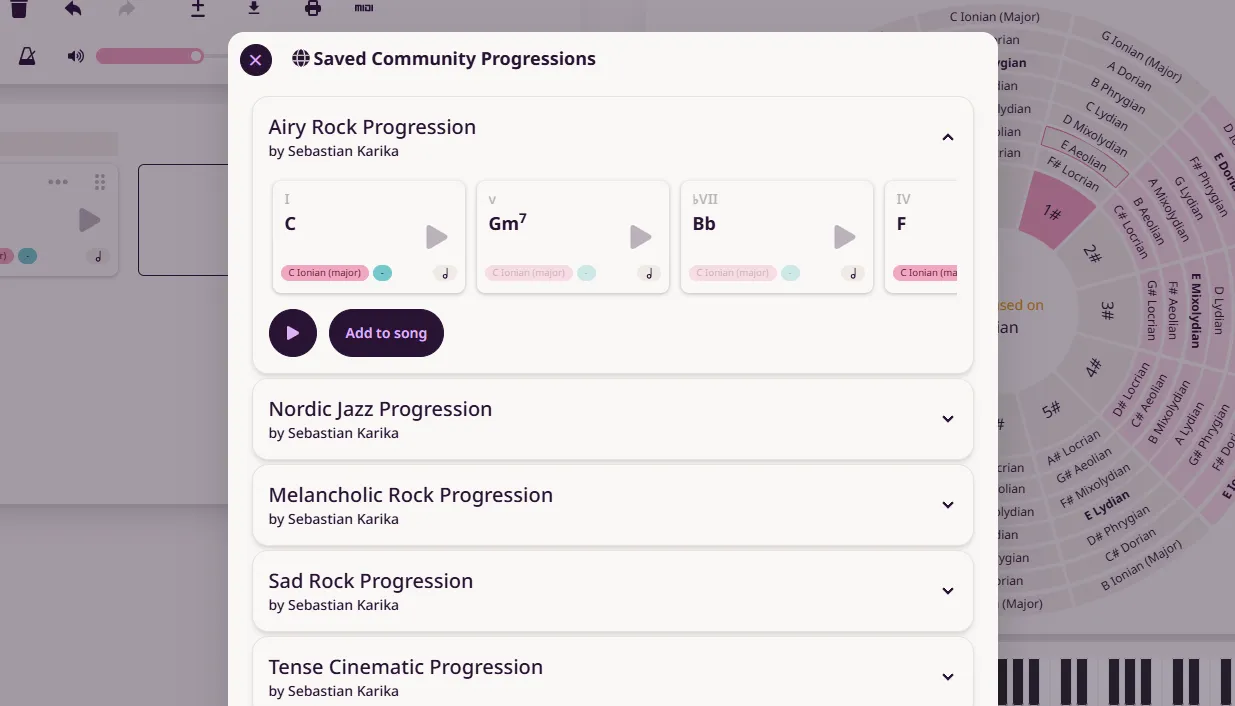 This will open a window displaying your saved progressions from the community. From there, you can preview them and add them to your song.
🏆 Contest: Win a 50 EUR Thomann.de Gift Card!
To celebrate the launch of the Community Page, I’m hosting a chord progression contest! The challenge: Compose the most beautiful ambiguous chord loop and share it in the community. What’s an Ambiguous Chord Loop? A chord loop is a short progression—usually around four chords—that repeats seamlessly. For this challenge, the focus is on ambiguity—meaning the loop should blur the line between major and minor. It should feel a little uncertain: Is it in a major key? A minor key? Somewhere in between? That subtle tonal mystery is what makes it special.
How to Enter:
🎵 Create and upload your ambiguous chord loop to the Community Page.
🎵 No need to label it specifically for the contest—every progression uploaded from now until March 7 at 10 AM GMT+1 will be considered.
🎵 You can submit multiple entries if you’d like.
The winner will receive a 50 EUR Thomann.de gift card and will be contacted via email. You must be at least 18 years old to be able to win. If I don’t hear back from the winner within three days, I’ll select a new one.
I can’t wait to hear your submissions—happy composing!
January 3, 2025 | Sebastian Karika
Update: Altered Dominants
Dear Mindful Harmony Users,
I’ve recently updated Mindful Harmony to include altered dominant chords.
##Altered Dominants
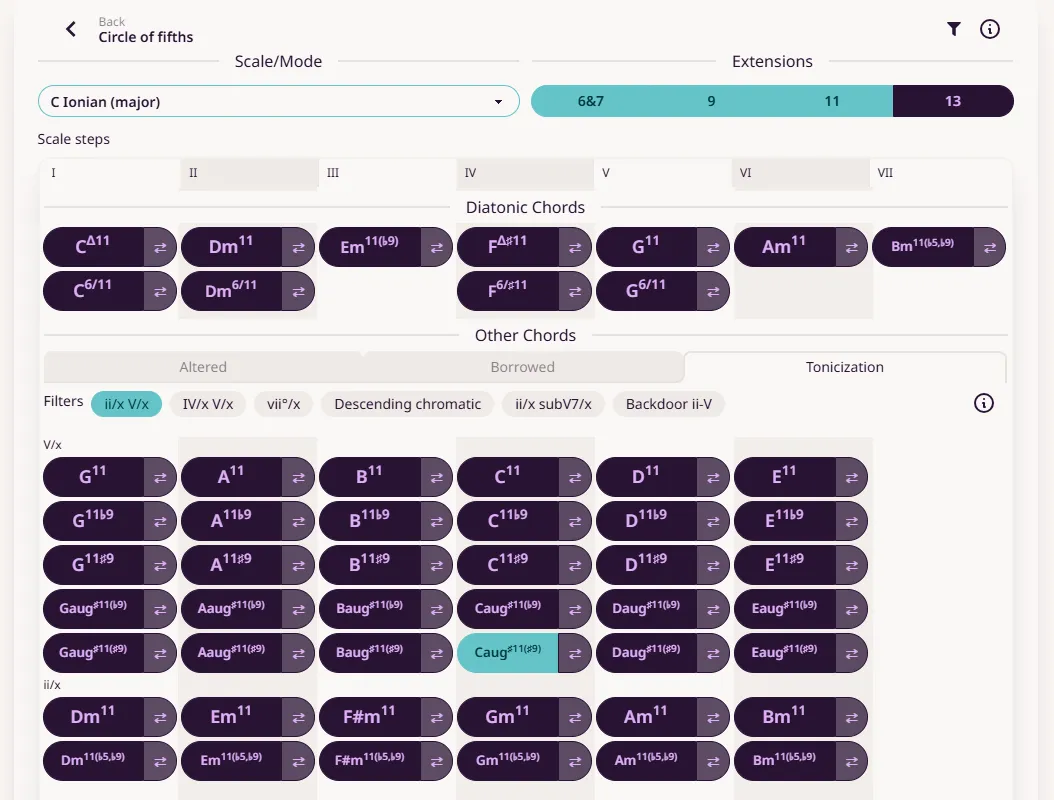 When playing a dominant chord (the V chord—in C major, the dominant chord is G7), or a secondary dominant chord, especially in jazz-inspired music, it is common to use altered chord tones or extensions. Previously, Mindful Harmony included some dominant chords with altered tensions in the Tonicization section. Now, I’ve expanded this feature to include dominant chords based on the Super Locrian scale, also known as the Altered Scale.
These dominant chords are rich in tension and are characterized by the chord tones ♭9, ♯9, ♭5/♯11, and ♯5/♭13. You can find them in the Tonicization section under the categories “ii/x V/x” and “IV/x V/x,” listed at the bottom of the available V/x chords. The list is organized from least tension at the top to most tension at the bottom.
Playing an altered dominant chord creates a strong expectation of resolution into a minor chord. However, these chords can also resolve to a major chord, causing the sound to brighten as it moves to the major chord.
I hope this new feature enhances your composing sessions with Mindful Harmony. Happy composing!
December 21, 2024 | Sebastian Karika
Update: MIDI Support (Experimental), Copy/Paste, Duplicate Songs
Dear Mindful Harmony Users,
I’m excited to share some new features you’ve requested!
##MIDI Input/Output (Experimental)
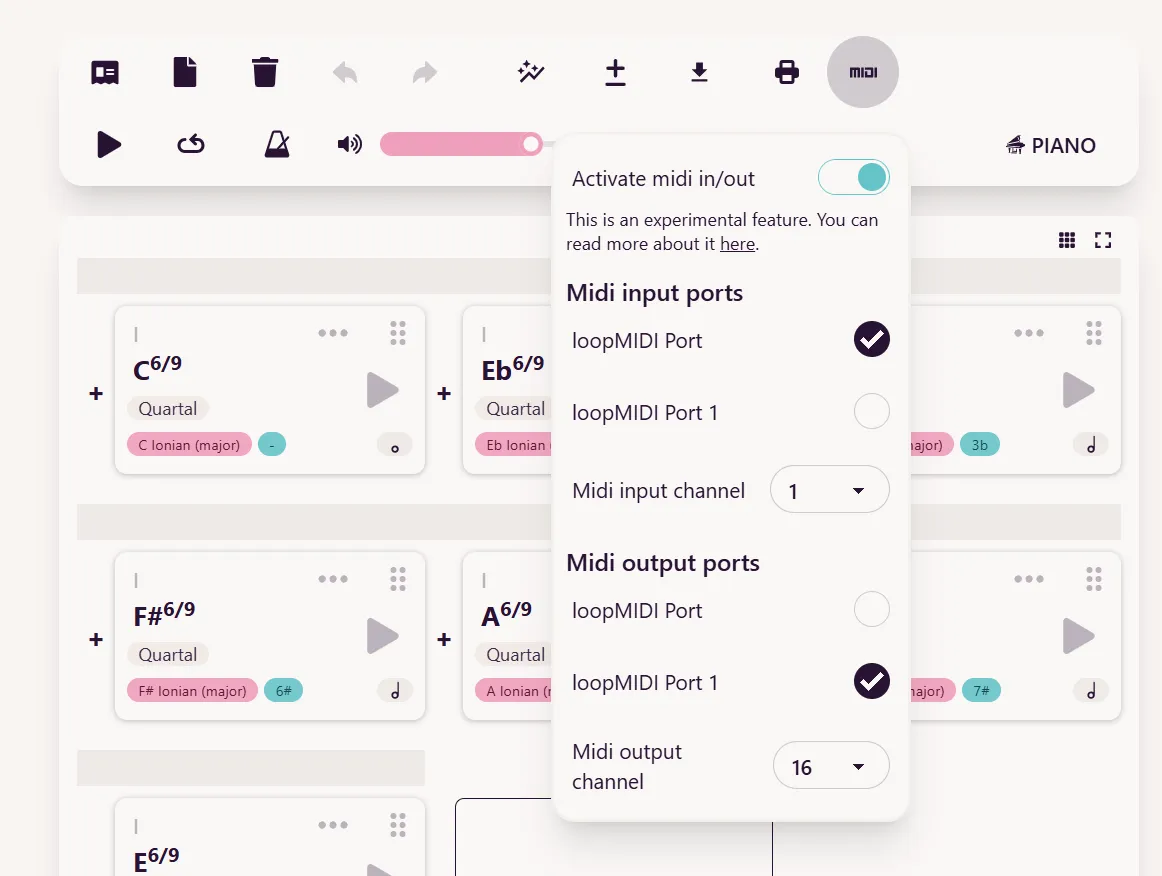 Would you like to use your own sounds with Mindful Harmony? Or connect an external synthesizer? How about triggering chords in Mindful Harmony using a MIDI controller? You’ll be pleased to know that Mindful Harmony now features experimental MIDI input/output support!
Please try it out and share your feedback and suggestions with me.
Activate MIDI by toggling the new MIDI menu. Your browser will prompt you to allow MIDI devices for the app. Once activated, you can choose MIDI input and output devices. To connect Mindful Harmony to another application via MIDI, you may need a virtual MIDI port. Windows users should install an application like LoopMIDI. On macOS, you can use built-in virtual MIDI ports, which can be set up in the “Audio MIDI Setup > MIDI Studio” dialog.
Would you like to use your own sounds with Mindful Harmony? Or connect an external synthesizer? How about triggering chords in Mindful Harmony using a MIDI controller? You’ll be pleased to know that Mindful Harmony now features experimental MIDI input/output support!
Please try it out and share your feedback and suggestions with me.
Activate MIDI by toggling the new MIDI menu. Your browser will prompt you to allow MIDI devices for the app. Once activated, you can choose MIDI input and output devices. To connect Mindful Harmony to another application via MIDI, you may need a virtual MIDI port. Windows users should install an application like LoopMIDI. On macOS, you can use built-in virtual MIDI ports, which can be set up in the “Audio MIDI Setup > MIDI Studio” dialog.
MIDI input
When you press a key on your MIDI keyboard/controller, you can trigger the chords in your Mindful Harmony song. The first chord is triggered by the C1 note, with subsequent chords triggered by each semitone upwards.
MIDI output
When a chord is played, its notes are sent to the selected MIDI output device. Unlike playback in the Mindful Harmony app, the notes do not “roll.” Instead, they trigger simultaneously, allowing you to arpeggiate them using another tool, if desired.
Known Limitations
When the browser is minimized, it may throttle the page to save resources. This can cause timing issues in the MIDI output due to slowed timers. I am exploring possible solutions to address this.
Duplicate Songs
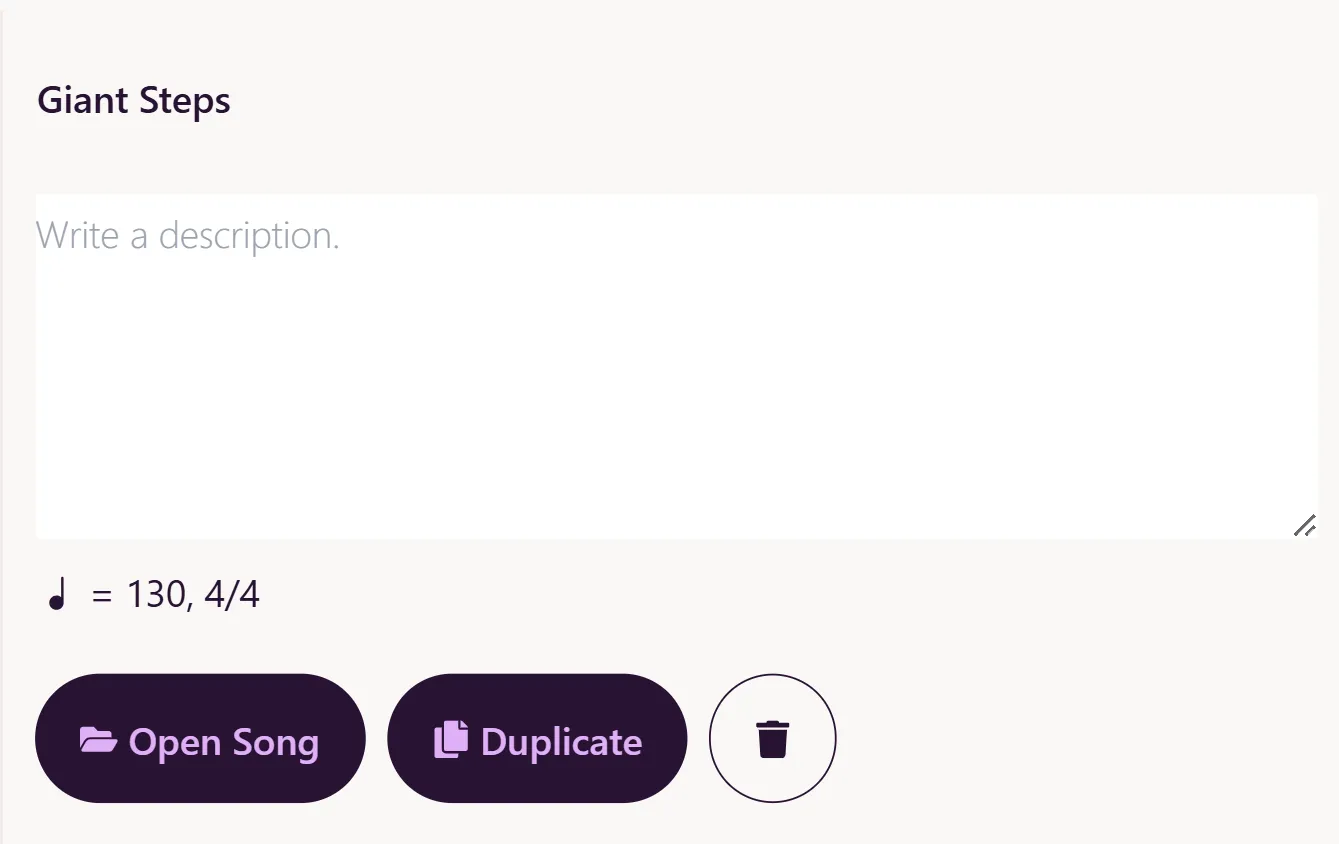 You can now create duplicates of your songs! Go to your song library, select the song you want to duplicate, and press the duplicate button.
Copy/Paste Chords
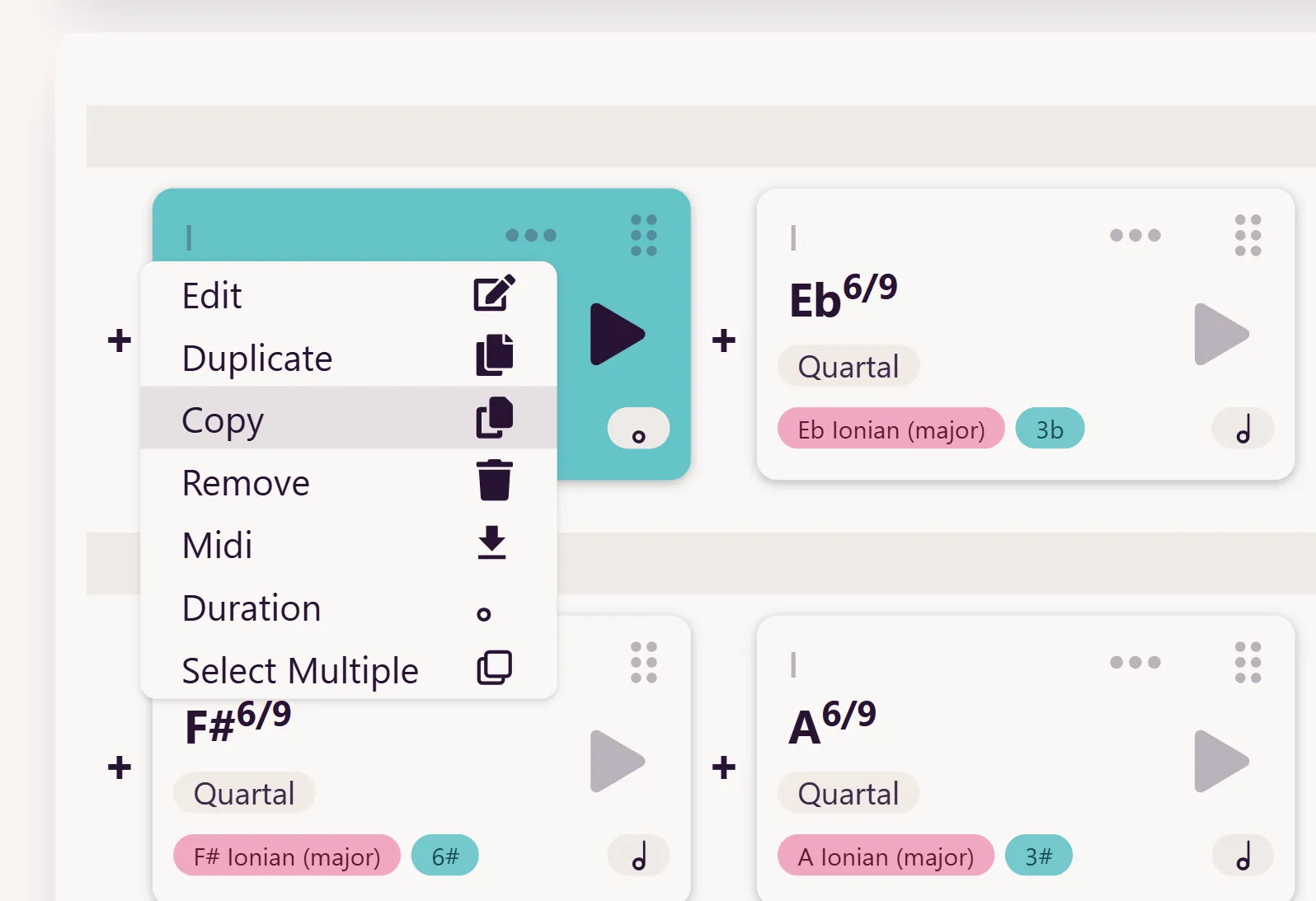
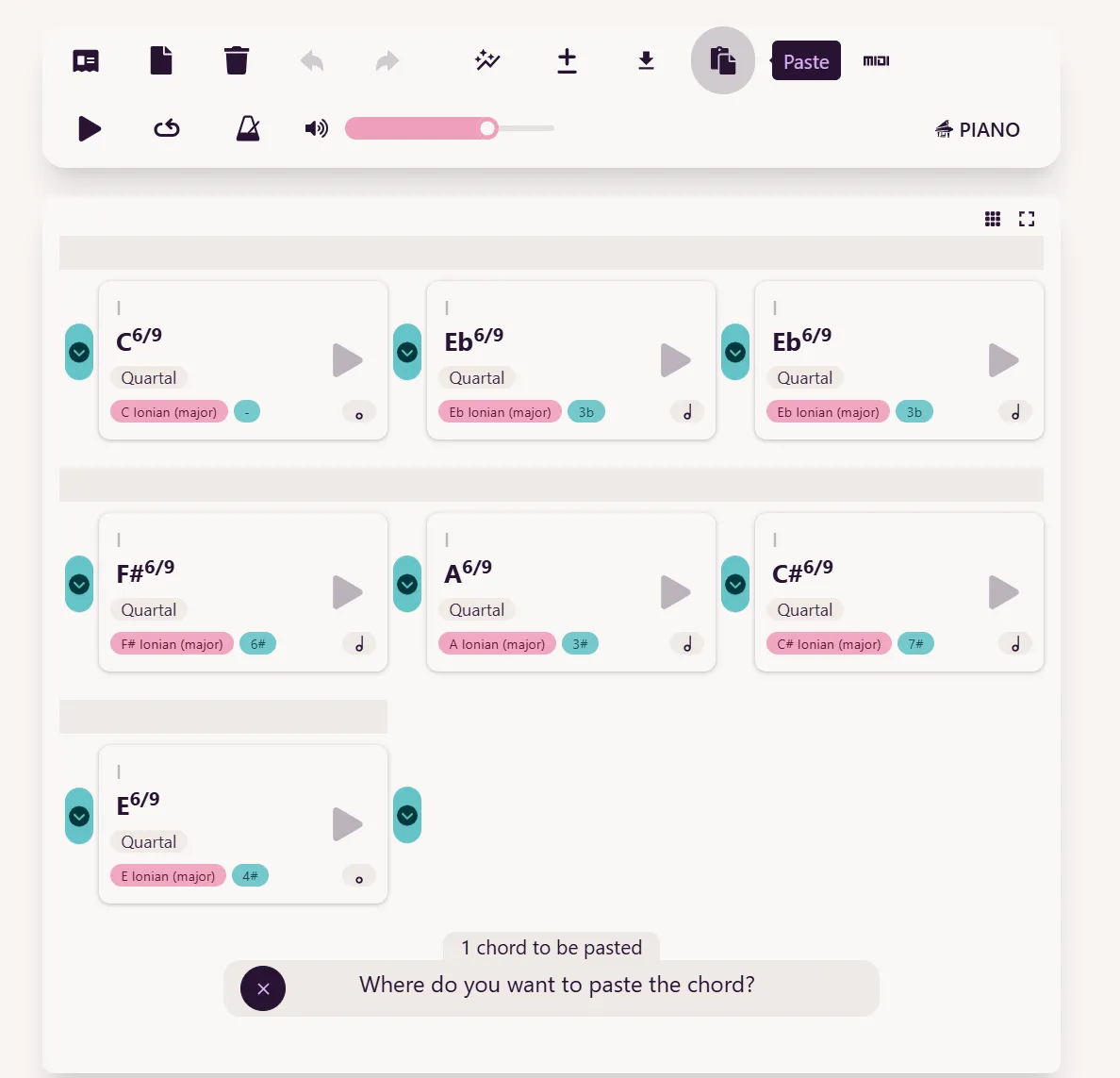 You can now copy and paste chords—even between songs! Open the context menu of a chord and press Copy. Once copied to the app’s clipboard, a Paste button will appear in the top menu. Click it, and you’ll be prompted to choose where to paste the chord. You can copy multiple chords by using the “select multiple” feature.
I hope these new features make your composing sessions with Mindful Harmony even better. Happy composing!
December 13, 2024 | Sebastian Karika
Update: Note Filter
 Dear Mindful Harmony users,
I’m excited to share that I’ve recently added a new feature to Mindful Harmony!
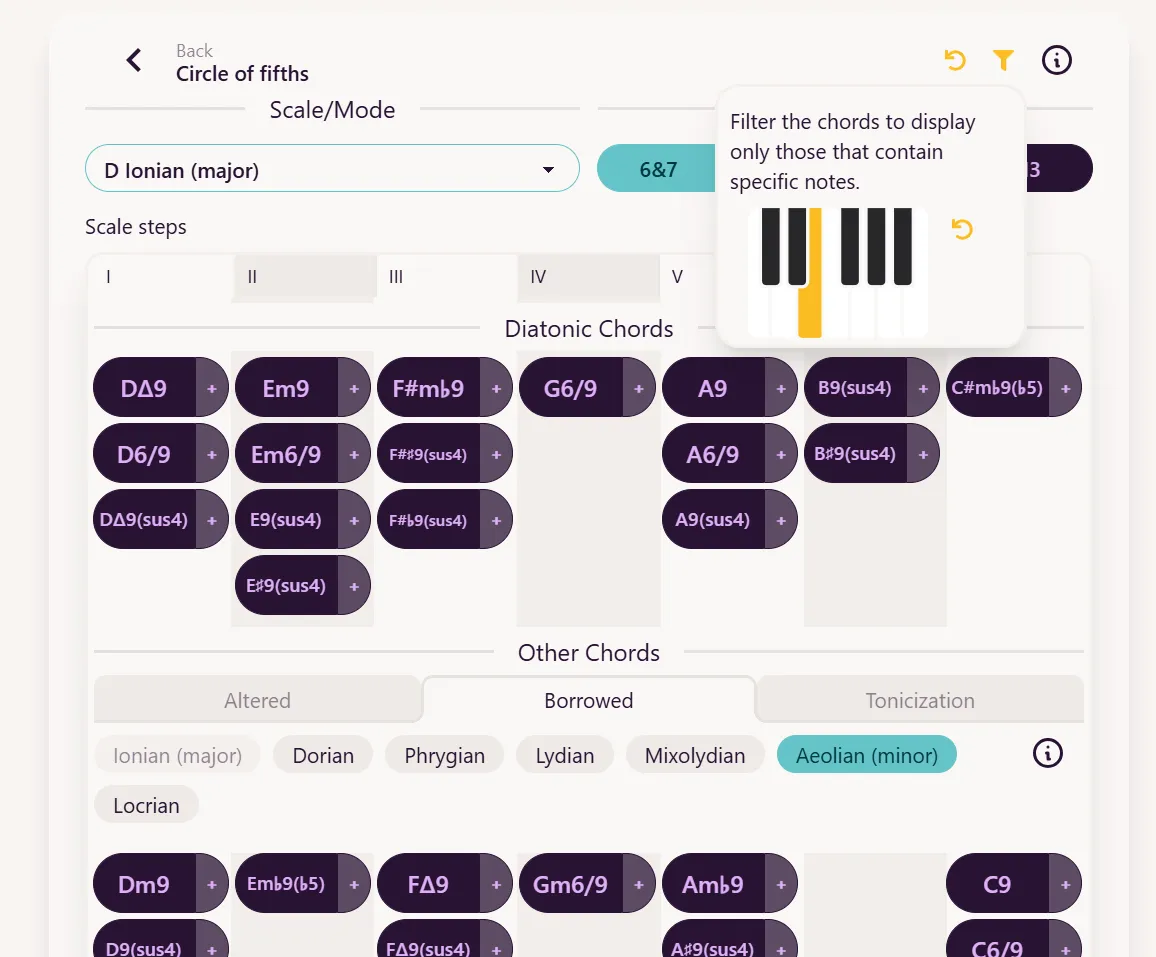
When writing chord progressions, they almost always complement a melody. But how do you determine which chord fits a specific melody note? With the new Note Filter feature, it’s now easier than ever!
In the chord selector window, you’ll find a new button with a filter icon in the top-right corner. Tap it, and a keyboard will appear, allowing you to select one or multiple notes. The chord list below will then update to show only the chords that include the notes you’ve chosen.
When you want to clear the filter, you can press one of the “undo” buttons, which will be highlighted in orange for easy identification.
Happy composing!
November 22 2024 | Sebastian Karika
Update: Transposition
Hello, dear Mindful Harmony users!
I’m thrilled to announce a new feature: Transposition.

With this update, you can transpose an entire song in semitones using the +/- button in the top menu. Alternatively, you can select multiple chords and click Transpose to shift just the selected chords.
 Here are a couple of creative ways to use this feature:
Raise the Tension
Start by creating a short chord loop with a few chords from one key. Then, select the chords and duplicate them. Next, select the duplicated chords and transpose them by 9 semitones, moving them three steps clockwise on the circle of fifths. Repeat this process three times, and you’ll create a song that builds tension through modulation until it resolves back to the original key. Here’s an example using a slightly unsettling set of chords:
Raise the Tension
Go To SongCreate Interest in the Bridge
If you’ve written a pop song with verses and choruses and are looking for a unique way to finish it, consider taking your listeners on a journey in the bridge—much like Jacob Collier does with Little Blue in this performance:
Here’s a quick transcription:
Little Blue
Go To SongOpen it in Mindful Harmony to see how the bridge modulates four times, creating a full circle. To experiment with something similar, start with two chords in one key, duplicate them, and transpose them by 9 semitones. Repeat the process until you return to the starting key.
November 8 2024 | Sebastian Karika
Update: Fully diminished seventh pivot chord modulations
Dear Composers,
I’m excited to announce a new feature update for Mindful Harmony: diminished pivot chord modulations. Let’s take a closer look!
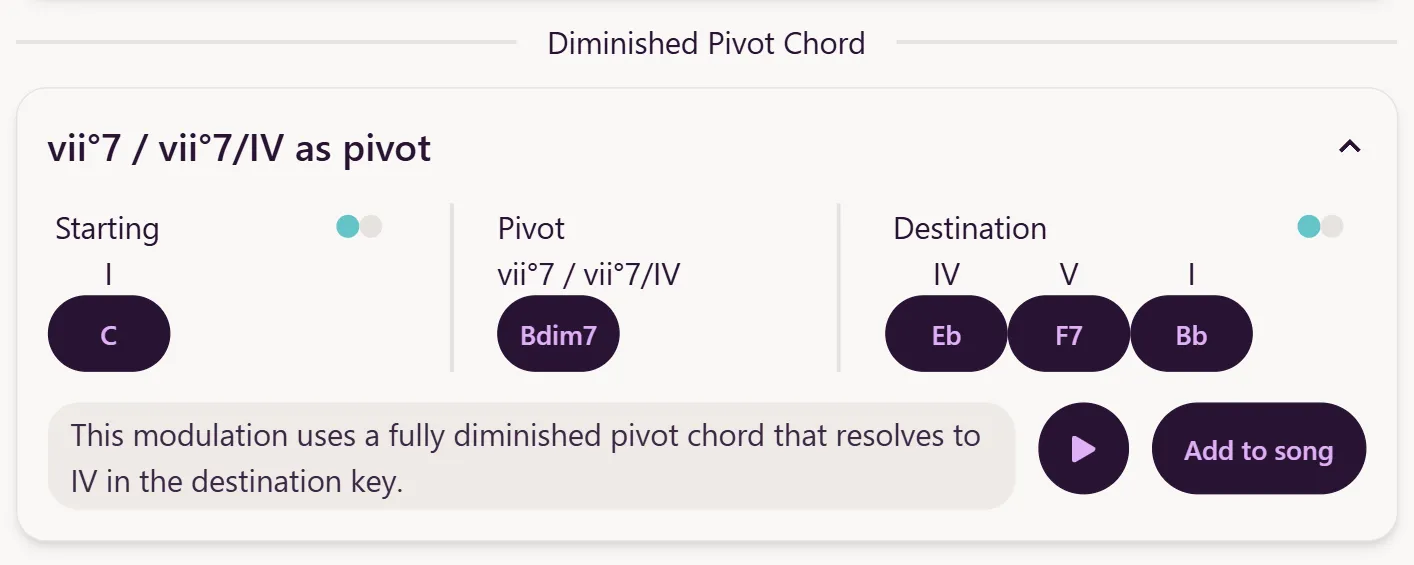
Are you looking to add variety to your song and feel it’s time for a key change? Did you know that with just one pivot chord, you can modulate to any of the other 12 keys—whether minor or major? Enter the versatile fully diminished seventh chord.
The Symmetrical Chord
The fully diminished seventh chord is a symmetrical chord, built from a stack of three minor third intervals. This symmetry means that inverting the chord yields another fully diminished seventh chord. In fact, each diminished seventh chord can be considered equivalent to three others.
For example: Bdim7, Ddim7, Fdim7, and Abdim7 are enharmonically related.
vii°
vii°
vii°
vii°
Do you see the potential for using it as a pivot chord?
Resolving the Fully Diminished Chord
The fully diminished chord isn’t diatonic to the major scale, but it can still function as the viiº chord in major keys. In minor keys, it appears as the viiº chord in the harmonic minor scale. You’ll find these chords in the tonicization section of Mindful Harmony.
The viiº chord typically resolves to the I chord, but it can also act as a secondary leading-tone chord to other scale degrees. For instance, you can resolve the viiº/IV to IV, or the viiº/V to V.
Three different ways to resolve fully diminished seventh chords
vii°
I
viio/IV
IV
viio/V
V
The Perfect Pivot Chord
All of this makes the fully diminished seventh chord a perfect pivot chord. Take Bdim7, for example. It functions as the viiº in C major, but it can also act as the viio in three other keys, the viiº/IV in four other keys, and the viiº/V in yet another four keys, covering all the other 11 keys. With this single chord, you can modulate to any other key.
Mindful Harmony’s auto-modulation feature now includes diminished pivot chord modulations. Why not give them a try?
October 21 2024 | Sebastian Karika
Update: Change Grid Size, Expand Chord Grid, Undo/Redo & More
We’re excited to announce a new feature update for Mindful Harmony! These enhancements are designed to make your experience smoother and more intuitive.
Change Grid Size
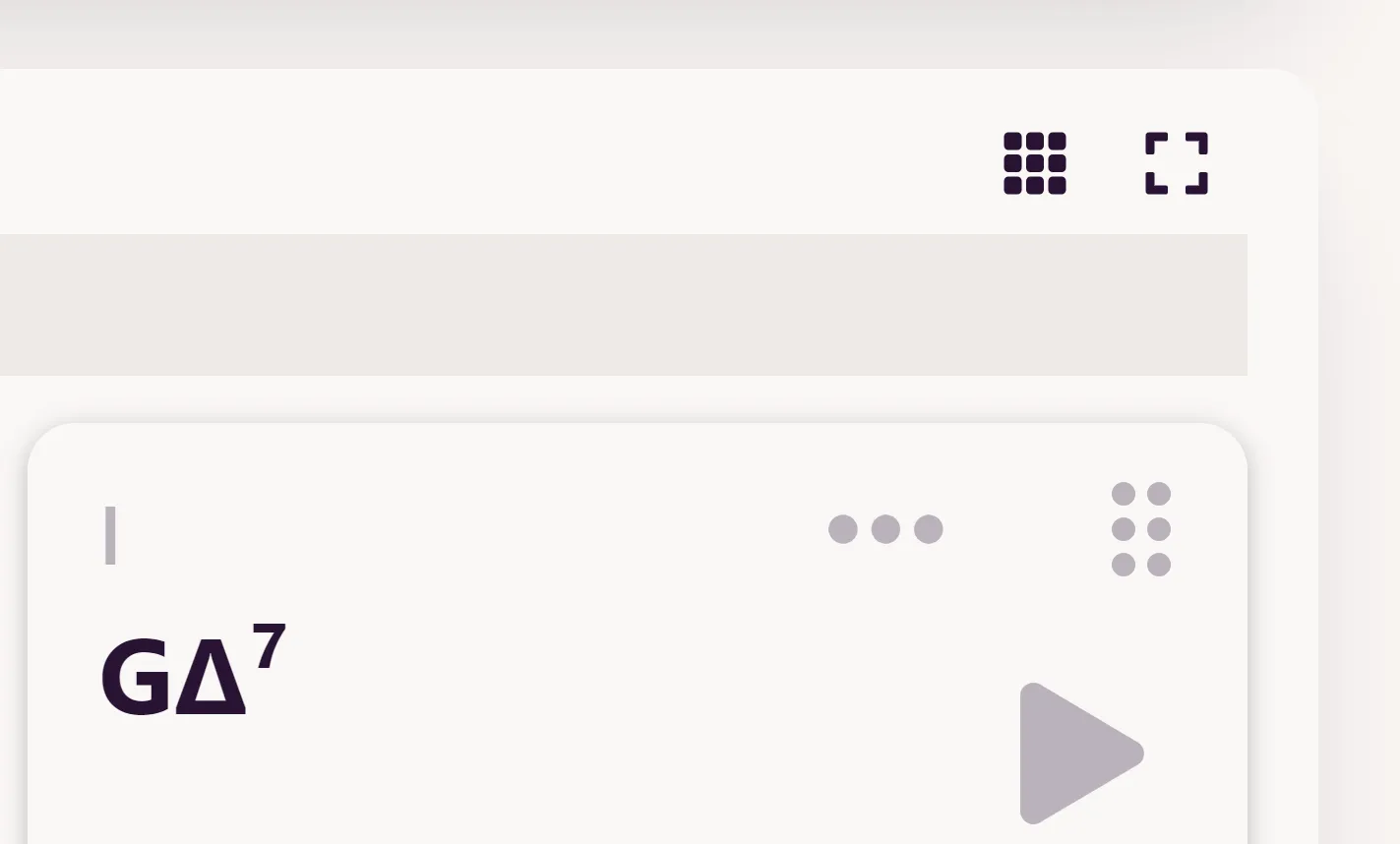
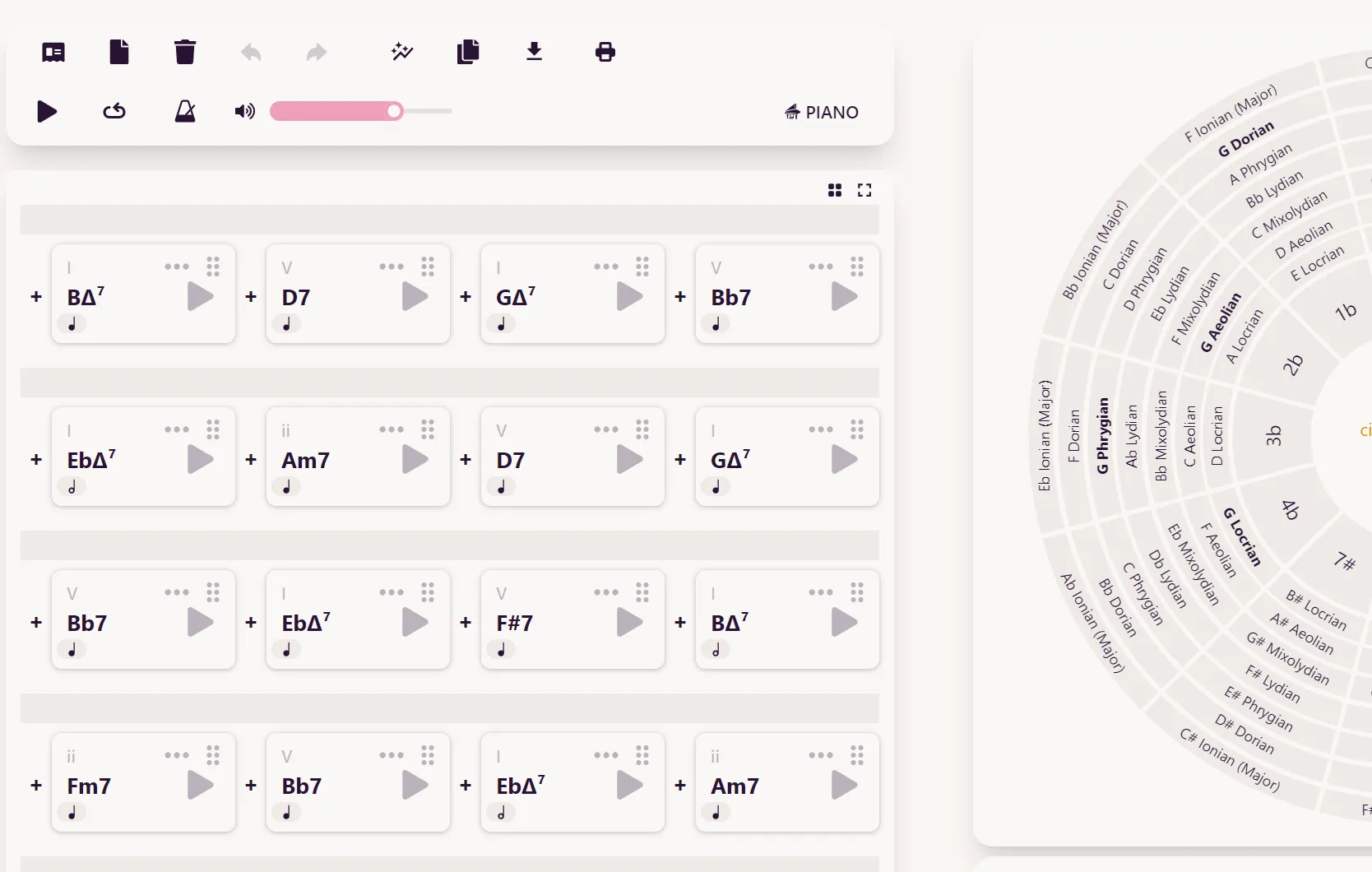
Now you can adjust the grid size with a simple click, fitting more chords into view.
Expand Chord Grid
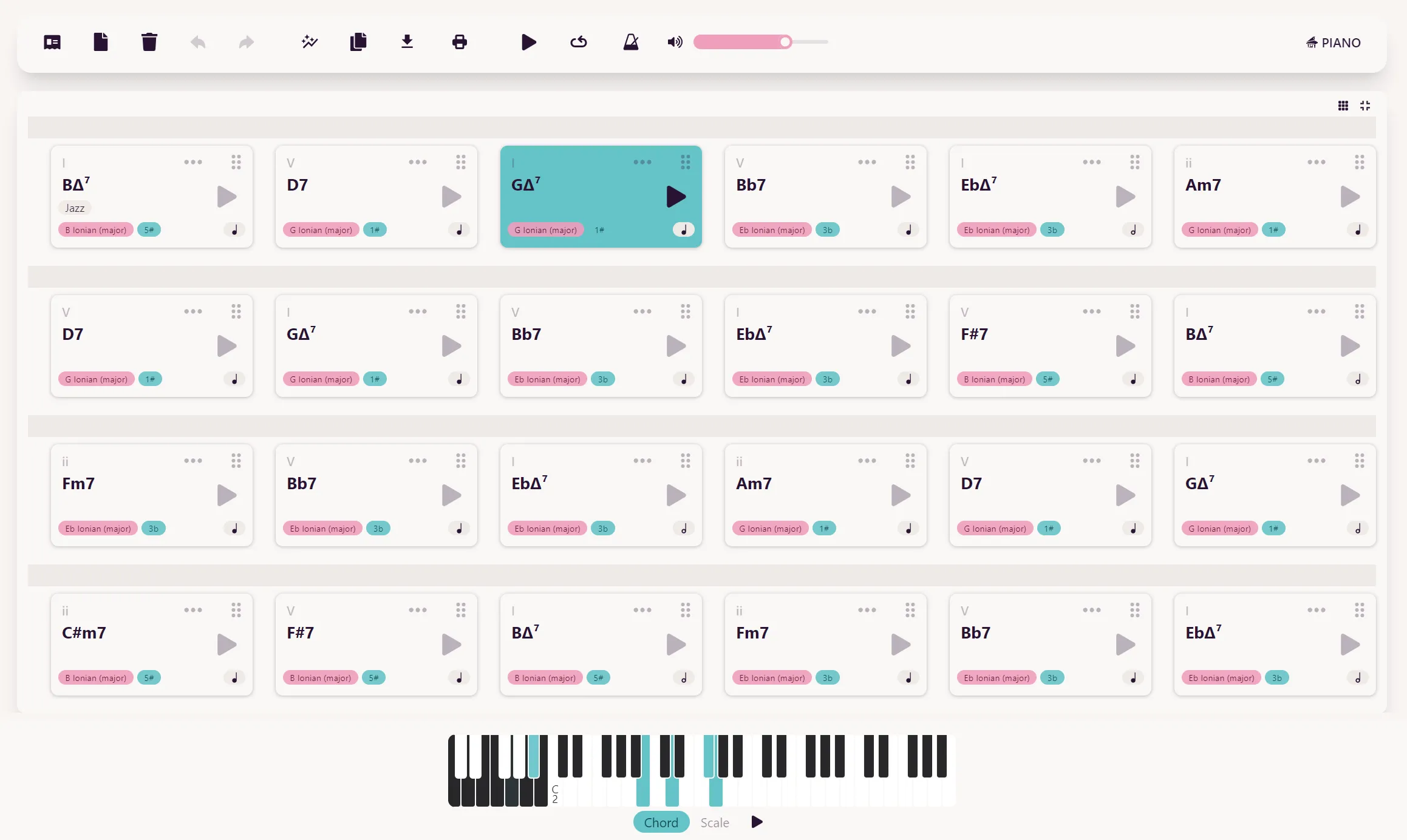
You can even expand the chord grid to fullscreen, making it easier to follow your progressions while playing or composing near your instrument.
Undo/Redo Functionality
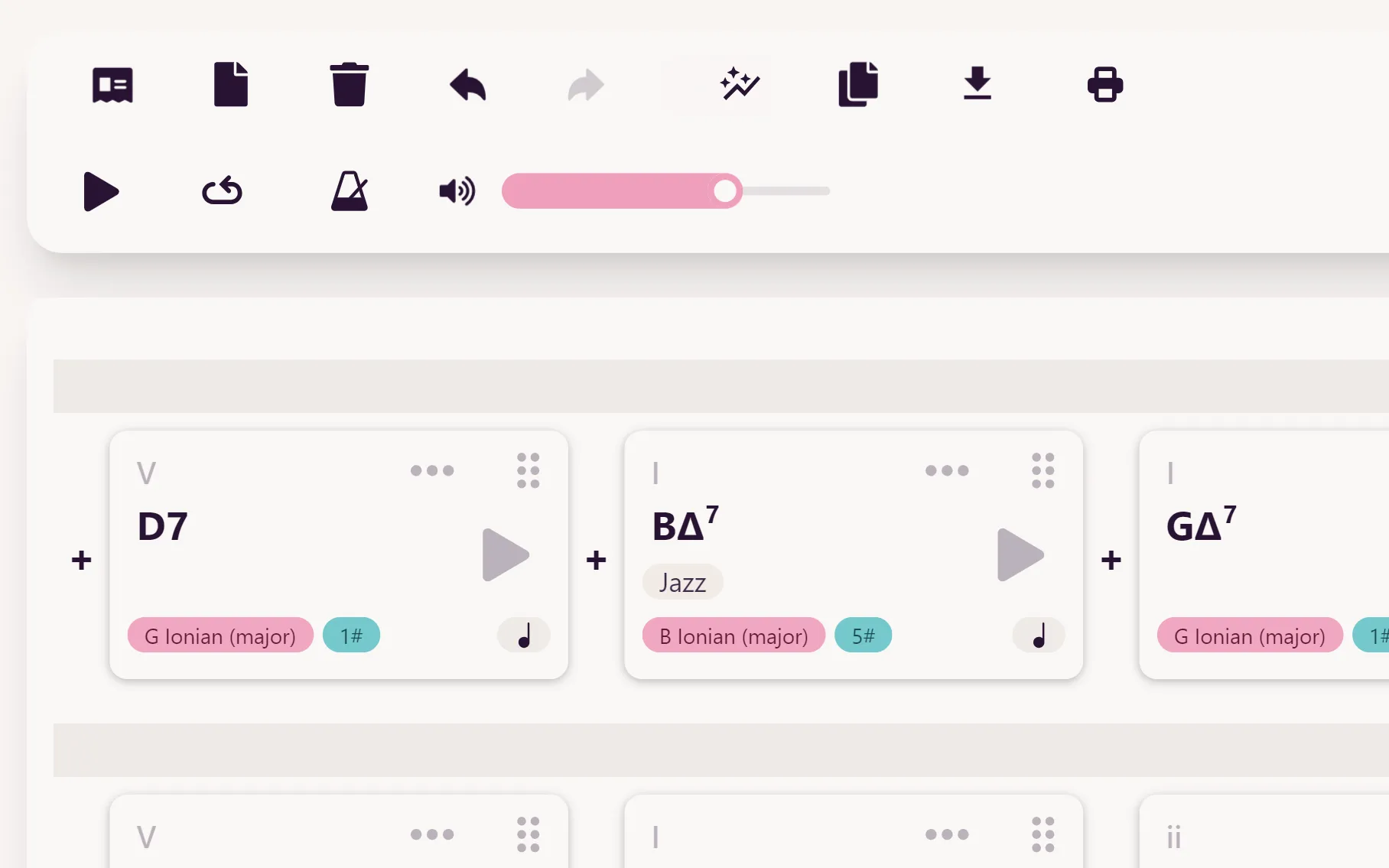
We’ve added undo/redo options. The app will remember your changes for as long as the project remains open.
Chord Selector Stays Open
You can now move and delete chords even while the chord selector is open.
July 5 2024 | Sebastian Karika
Update: Roman Numeral Analysis, Chromatic Mediants & Multi-Selection
Dear Composers,
We’re excited to announce another feature update for Mindful Harmony! Today, we’re introducing three powerful new features: Roman Numeral Analysis, Chromatic Mediants, and Multi-Selection. Let’s dive in!
Roman Numeral Analysis
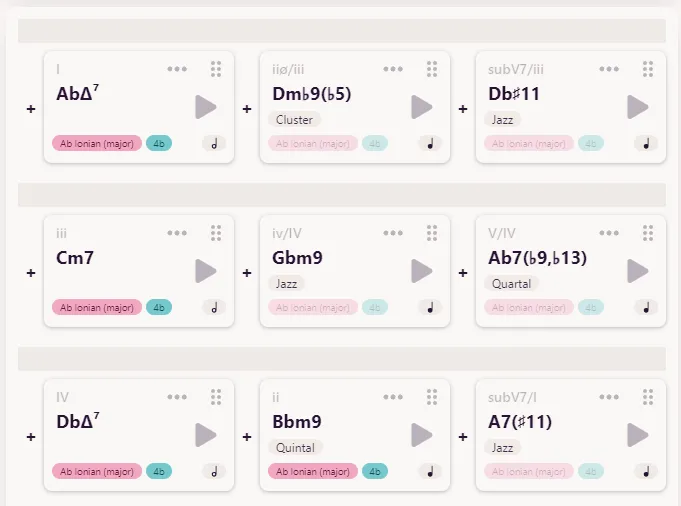 You can now see Roman numeral analysis in the top left corner of each chord card. But what does this mean for you?
Roman numeral analysis is a quick way to understand a chord’s function in a progression. Here’s a brief guide:
-
“I” represents the first (tonic) chord in the scale, “ii” the second, and so on.
-
Uppercase numerals indicate major chords, lowercase indicate minor.
-
A “+” symbol after the numeral means augmented, while a “°” symbol means diminished.
We’ve also included notation for secondary chords. These are chords that temporarily tonicize another scale degree. For example:
-
V/V means “five of five” - it’s the dominant chord of the V chord.
-
V/ii means “five of two” - it’s the dominant chord of the ii chord.
This feature allows you to quickly grasp chord functions across any key, enhancing your understanding of harmonic relationships.
Chromatic Mediants
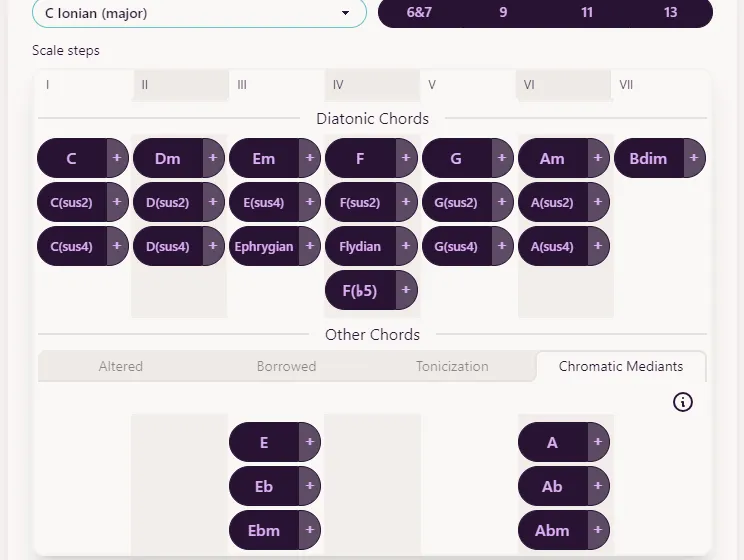 Ready to add some cinematic flair to your compositions? Enter chromatic mediants!
These chords are related to the tonic by a major or minor third. Some share a common note with the tonic, while others don’t. The dramatic shift between a tonic and a chromatic mediant creates powerful emotional effects, often used in film and game scores.
Experiment with chromatic mediants to add depth and drama to your progressions!
Multi-Selection
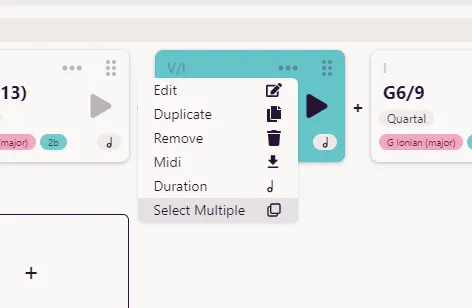 Streamline your workflow with our new multi-selection feature. Now you can edit multiple chords simultaneously:
-
Tap “Select Multiple” from any chord’s drop-down menu.
-
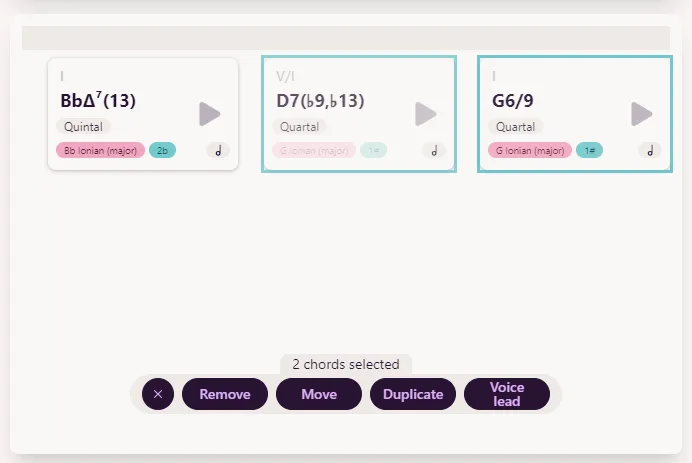
Choose the chords you want to edit.
-
Select your desired action: remove, duplicate, move, or voice-lead.
-
For duplication or moving, you can specify where to place the selected chords.
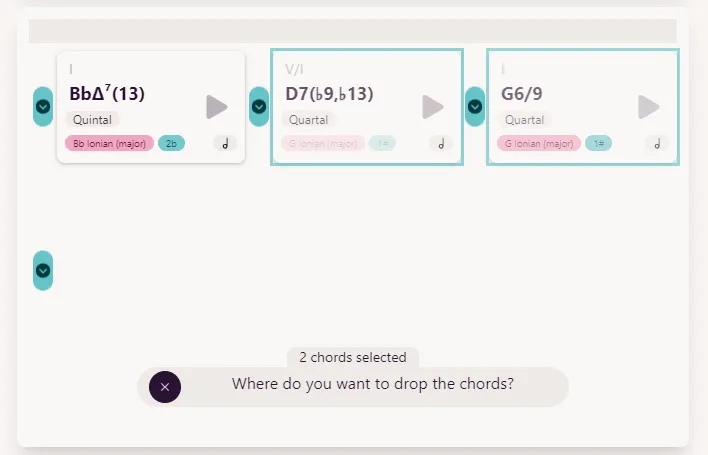
This feature saves time and makes complex edits a breeze.
June 26 2024 | Sebastian Karika
Update: Composite minor, Tonicization & More
Greetings, dear Mindful Harmony users! We’re here with another exciting update. Here’s a summary of what’s new. ##Clearer Separation of Major, Minor, and Modal What we did: Removed chromatic chords from every scale except the natural minor and the major scales.
Why we did it: The concepts of tonicization and modal interchange are commonly used when writing in major or minor, but not when writing a part of a song that is supposed to have a modal source. I will post a couple of blog articles about writing major, minor, and modal music shortly.
Now, let’s take a look at some of the new things we’ve added.
##Composite minor
When writing a song in a minor key, it is obvious to use the chords that can be formed from the natural minor scale (Aeolian). But there are four other minor scales that we can use to find more chords that fit into a minor setting. Some of these chords are even instrumental for writing minor songs. The scales are Harmonic Minor, Melodic Minor, Dorian, and Phrygian. When choosing the Natural Minor scale (Aeolian) in Mindful Harmony, you will now find a tab under “Other Chords” with the name “Composite minor” that features chords from these scales.
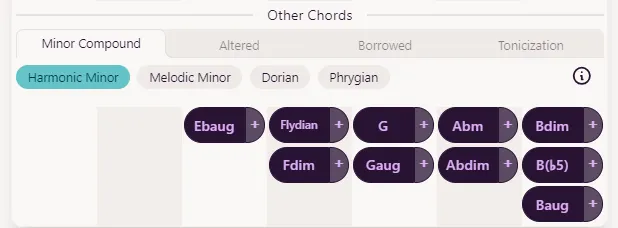 ##Reworked Tonicization
The tonicization section has been reworked with more categories and tonicization phrases. For example, you can now find the secondary ii-V of any chord that can be tonicized. The secondary dominant chords have been arranged to resolve upwards. First, add the ii chord from the bottom, then the V chord just above it, and finally resolve to the first diatonic chord in the same column.
##Reworked Tonicization
The tonicization section has been reworked with more categories and tonicization phrases. For example, you can now find the secondary ii-V of any chord that can be tonicized. The secondary dominant chords have been arranged to resolve upwards. First, add the ii chord from the bottom, then the V chord just above it, and finally resolve to the first diatonic chord in the same column.
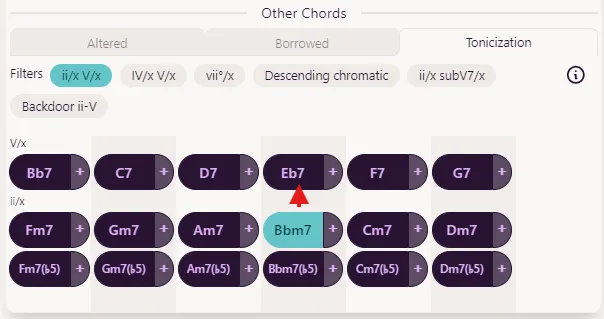 We have also added the ii to the substitute dominants, and three new categories have emerged: secondary IV - V’s, backdoor dominants, and descending chromatic passing chords. These new additions provide more options for harmonic movement and voice leading in your compositions.
I hope these updates enhance your composing experience. Enjoy exploring new harmonic possibilities with Mindful Harmony!
April 29 2024 | Sebastian Karika
Update: Automatic Voice Leading
We are excited to share with you another feature update. Voice leading refers to the paths that the individual voices, or notes, travel between chords. When each voice moves as little as possible during a chord change, the smoothest sound is achieved. In the chord selection pop-up, select a chord and press “auto” in the voicings section. This will choose the voicing that offers the best voice leading to the previous chord. You can lock the auto button so that every chord you choose will already have the best voicing selected.
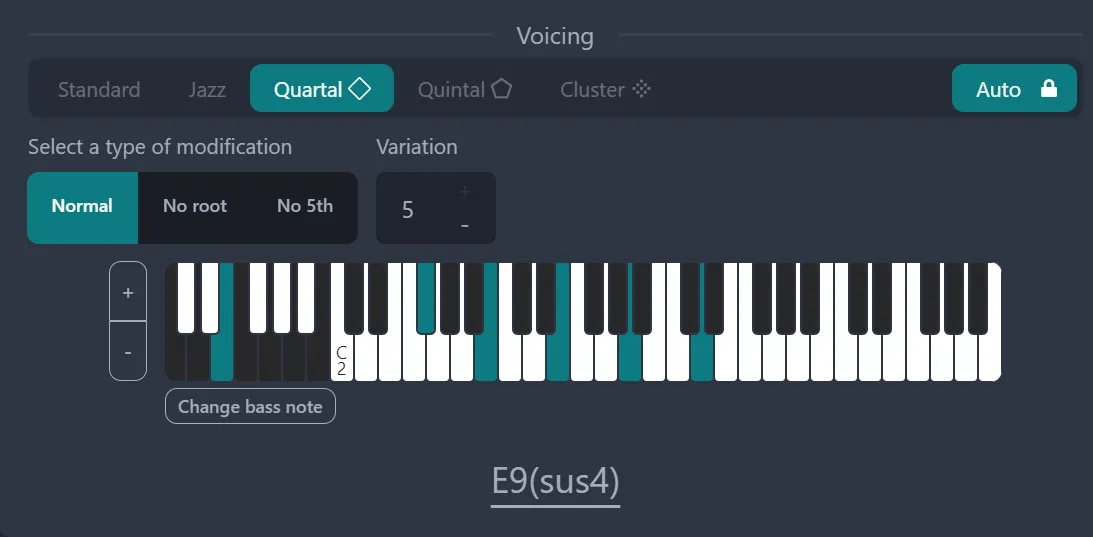 We have also added an automatic voice leading button in the top menu on the main view. Clicking this button will adjust the voicing of every chord in the song so that their voices lead nicely into each other.
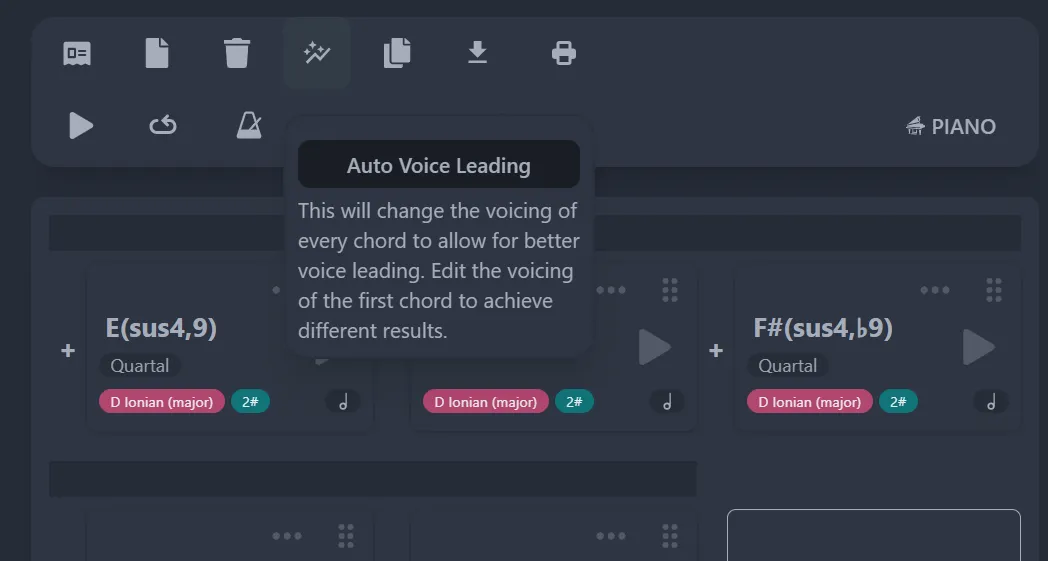 The voicings in the progressions generated by the auto modulation feature are also chosen for optimal voice leading.
Give these new features a try. Here are a few things to experiment with:
- Add a few chords, then try voicing the first chord in different ways, from condensed jazz voicings to open quintal voicings. Use the auto voice leading feature and observe the different results it generates depending on the voicing you choose for the first chord.
- Experiment with adding chords that are distant from each other in the circle of fifths. Use the auto voice leading feature to see how smooth you can make the progression sound.
- Alternatively, add chords that are closely related. Use the auto voice leading feature to observe how beautifully the chords transition into each other.
April 17 2024 | Sebastian Karika
Update: Extensions and Voicings
Greetings, dear Mindful Harmony users! We’re thrilled to announce a new update that brings exciting possibilities for all of you. Here’s a summary of what’s new.
Freely Combine Extensions
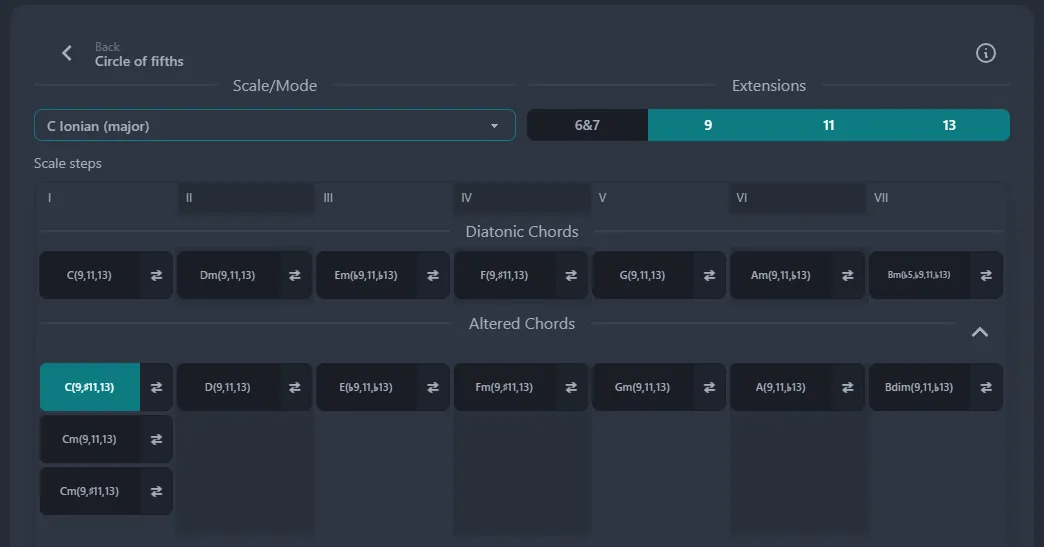 Previously, when adding a 13 chord, every extension up to the 13th was automatically included: 7, 9, and 11. However, it’s more practical to add only the extensions you need. With this update, you can now add any combination of extensions. Here are a few examples:
G7(9,13)
C(9)
This update effectively introduces many new chords to Mindful Harmony, providing you with more ways to express yourself.
An Exciting Range of Voicing Options
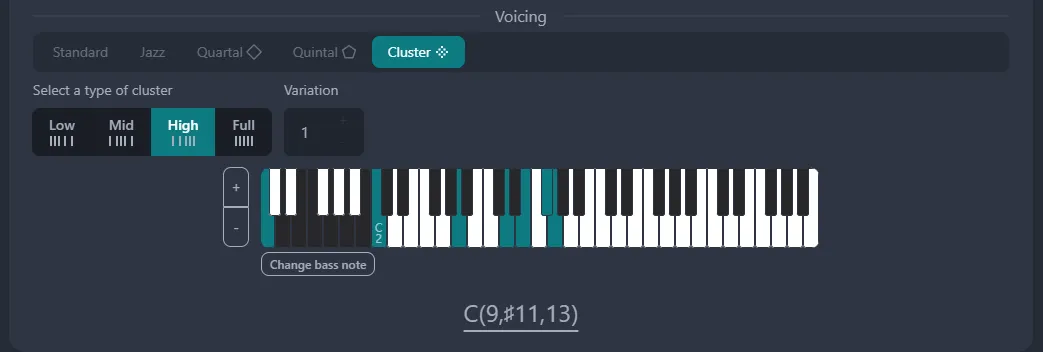 The voicing section has undergone a complete overhaul. The jazz voicings have become more logical, and we’ve added quartal, quintal, and cluster voicings. How exciting! For more information, please read our new blog post, linked below.
5 Beautiful Ways To Voice A CΔ9 Chord
Read Post